
This document is the instruction manual for FrSky ARCHER PLUS R6/GR6 receiver. The product has strong anti-interference ability, supports ACCESS and ACCST D16 modes, and has black box function.
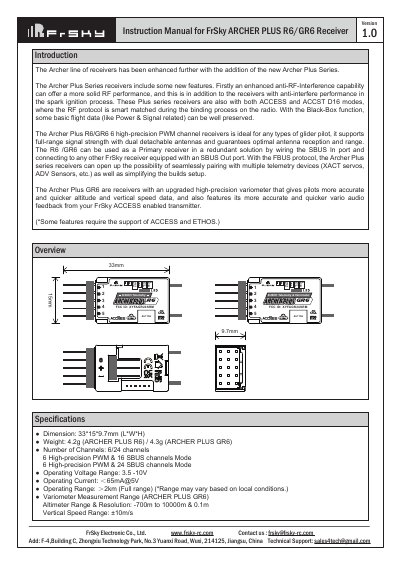
This manual provides instructions for the FrSky ARCHER PLUS R6 and GR6 receivers, which are high-precision PWM channel receivers designed for glider pilots and other RC applications. The R6 model offers 6 high-precision PWM channels, while the GR6 includes an upgraded high-precision variometer for accurate altitude and vertical speed data. Both models support full-range signal strength with dual detachable antennas and feature enhanced anti-RF-interference capabilities.
| Dimensions | 33*15*9.7mm (L*W*H) |
|---|---|
| Weight (R6) | 4.2g |
| Weight (GR6) | 4.3g |
| Operating Voltage Range | 3.5 -10V |
| Operating Current | ≤65mA@5V |
| Operating Range | ≥2km |
| Antenna connector | IPEX4 |
The GR6 model features an upgraded high-precision variometer that provides more accurate and quicker altitude and vertical speed data.
You can choose between No Pulse, Hold, or Custom mode. For Custom mode, move the cursor to the channel, press the Encoder, rotate to set the position, and short-press to finish.
Yes, the receiver supports Over-The-Air (OTA) firmware updates. You can select the FW in the File manager and press the enter button to flash the RX by internal OTA.