
Dell Wyse 7000 Series Thin Client Wyse 7040 Quick Start Guide

Wyse 7000 Series thin client Wyse 7040 Quick Start Guide
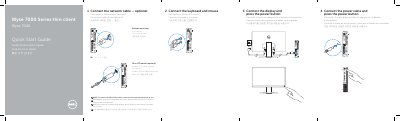

Dell Wyse 7000 Series Thin Client Wyse 7040 Quick Start Guide - cover page
Brand
DELL
Category
Desktops
Document type
Quick Start Guide
Language
English
Pages
2
File format
PDF
File size
279 KB
Published
20 November, 2023
Updated
20 November, 2023
MD5 checksum
1CEF11726852D501B5FF08E2E3581B78

About this manual

This quick start guide shows how to connect power, display, optional network, keyboard, and mouse to the Wyse 7040 thin client.

It also labels the front and rear connectors and controls, and lists regulatory information including model D10U, regulatory type D10U001, computer model Wyse 7040, and electrical input ratings.

What's inside

  • Connect the power cable and press the power button
  • Connect the display and press the power button
  • Connect the network cable — optional
  • Connect the keyboard and mouse
  • Features
  • Información para NOM, o Norma Oficial Mexicana
  • Product support and manuals
  • Regulatory and safety

Specifications

Regulatory modelD10U
Regulatory typeD10U001
Computer modelWyse 7040
Input voltage19.5 V
Maximum input current3.34 A
Fiber SFP moduleOptional

Frequently asked questions

How do I remove the Fibre SFP module?

Rotate the latch and unplug it from its slot.

Is the network cable connection required?

No, it is optional.

Where can I find product support and manuals?

At dell.com/support and dell.com/support/manuals.

What is the input voltage?

19.5 V.

Download PDF (279 KB)

More DELL Manuals


View all DELL manuals →