
The Dell Venue 8 7000 Series Tablet Quick Start Guide.
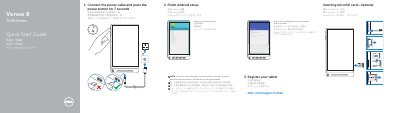
This quick start guide helps set up a Dell Venue 8 7000 Series tablet. It shows connecting power, completing Android setup, registering the tablet, connecting to a network, optionally inserting a microSD card, and signing in to a Google account.
The guide also labels tablet features such as the power and volume buttons, cameras, ports, speakers, service tag, microSD slot, and Intel RealSense Snapshot, and lists Dell support, contact, and regulatory information.
| Regulatory model | T02E |
|---|---|
| Regulatory type | T02E001 |
| Tablet model | Venue 8 7840 |
Press the power button for 7 seconds.
No, inserting a microSD card is optional.
The tablet model is Venue 8 7840.
They are available at dell.com/support and dell.com/support/manuals.