
The Dell Venue 8 7000 Series tablet quick start guide.
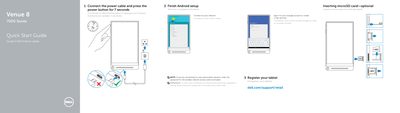
This quick start guide helps set up the Dell Venue 8 7000 Series tablet. It covers connecting power, finishing Android setup, signing in to Google, connecting to a network, and inserting an optional microSD card.
It also identifies tablet features and lists product support, manuals, contact, and regulatory information, including regulatory model T02E and tablet model Venue 8 7840.
| Regulatory model | T02E |
|---|---|
| Regulatory type | T02E001 |
| Tablet model | Venue 8 7840 |
Connect the power cable and press the power button for 7 seconds.
Inserting a microSD card is optional.
Product support and manuals are available at dell.com/support and dell.com/support/manuals.
The tablet model is Venue 8 7840.