
Dell Inspiron 24 7000 Series Quick Start Guide

Dell Inspiron 24 7000 Series Quick Start Guide.
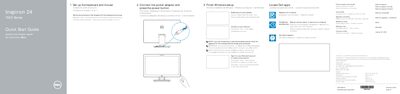

Dell Inspiron 24 7000 Series Quick Start Guide - cover page
Brand
DELL
Category
All-in-One Desktops
Document type
Quick Start Guide
Language
MUL
Pages
2
File format
PDF
File size
511 KB
Published
20 November, 2023
Updated
20 November, 2023
MD5 checksum
81C36528CAD250F2BA56D8EB80D93A2D

About this manual

This document provides quick start information for the Dell Inspiron 24 7000 Series, specifically the Inspiron 24-7459 model. It outlines the regulatory compliance with the Mexican Official Standard (NOM) and provides initial setup steps for the keyboard, mouse, and power adapter. The guide also instructs users on completing the Windows setup process, enabling security updates, connecting to a network, and registering the computer.

What's inside

  • Regulatory Information
  • Set up the keyboard and mouse
  • Connect the power adapter
  • Finish Windows setup
  • Enable security and updates
  • Connect to your network
  • Sign in to your Microsoft account
  • Register your computer
  • Features
  • Tilt Incliner

Specifications

Input Voltage100 V CA-240 V CA
Input Frequency50 Hz-60 Hz
Output Voltage19,50 V DC

Frequently asked questions

How do I connect to a secured wireless network?

Enter the password for the wireless network access when prompted.

What is the purpose of the Tilt Incliner?

It allows the screen to be tilted.

Download PDF (511 KB)

More DELL Manuals


View all DELL manuals →