
Key facts
Start here
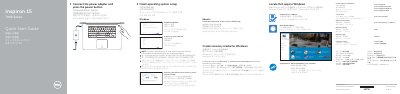
Dell Inspiron 15 7000 Series Notebook Quick Start Guide
The Dell Inspiron 15 7000 Series Quick Start Guide provides essential instructions for setting up the Inspiron 7548 notebook. It guides users through connecting power, completing the operating system setup for Windows or Ubuntu, and connecting to a network.
The document also includes a detailed map of the device's hardware features, such as ports and microphones, and a comprehensive list of keyboard shortcut keys for system control and media playback.
Dell Inspiron 15 7000 Series (Inspiron 7548) specifications
| Computer model | Inspiron 7548 |
|---|---|
| Regulatory model | P41F |
| Regulatory model type | P41F001 |
| Document revision | Rev. A00 |
| Copyright year | 2014 |
All Dell Inspiron 15 7000 Series (Inspiron 7548) documents by type
Disassembly, diagnostics and part numbers, for repair.
The shortest path to a working setup, usually only a few pages.
Questions answered in these manuals
Which computer models does this service manual cover?
It covers the Inspiron 15 7000 Series, computer model Inspiron 7548, regulatory model P41F and regulatory model type P41F001.
What tools are recommended for the procedures in this manual?
The procedures may require a Phillips screwdriver and a plastic scribe.
How do I create recovery media for Windows on this laptop?
In Windows search, type Recovery, click Create a recovery media, and follow the on-screen instructions.
From: Dell Inspiron 15 7000 Series Notebook Quick Start Guide
What are the rated voltage and frequency for this notebook?
The rated voltage is 100-240 volts and the rated frequency is 50-60 hertz.
From: Dell Inspiron 15 7000 Series Notebook Quick Start Guide
What tools are needed to service this computer?
The procedures may require a Philips screwdriver and a plastic scribe.
From: Dell Inspiron 15 7000 Series (Inspiron 7548) Service Manual
What should I do before working inside the computer?
Save and close all open files, exit all open applications, shut down the computer, and disconnect power and attached devices.
From: Dell Inspiron 15 7000 Series (Inspiron 7548) Service Manual