
Key facts
Start here
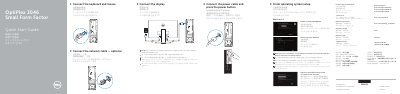
Dell OptiPlex 3046 SFF Quick Start Guide
This document serves as a Quick Start Guide for the Dell OptiPlex 3046 Small Form Factor (SFF) desktop computer. It provides multilingual instructions for the initial setup process, covering the connection of power, display, keyboard, and mouse, as well as network and account configuration. The guide also includes a visual list of the computer's physical features and ports.
Read onlineDell OptiPlex 3046 SFF specifications
| Rated Voltage | 100 - 240 Volts AC |
|---|---|
| Rated Frequency | 50/60 Hertz |
| Rated Input Current | 3.0 Amperes |
All Dell OptiPlex 3046 SFF documents by type
The shortest path to a working setup, usually only a few pages.
Questions answered in these manuals
What should I do if I am connecting to a secured wireless network?
Enter the password for the wireless network access when prompted.
Where can I find the latest drivers for my system?
Visit Dell.com/support and enter the service tag of your system.
Where should the display be connected if the computer has a discrete graphics card?
Connect the display to the discrete graphics card.
From: Dell OptiPlex 3046 SFF Small Form Factor Quick Start Guide
What should be entered when connecting to a secured wireless network?
Enter the password for the wireless network access when prompted.
From: Dell OptiPlex 3046 SFF Small Form Factor Quick Start Guide