
Key facts
Start here
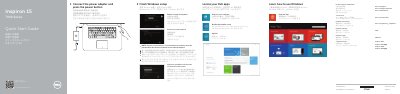
Dell Inspiron 7547 Laptop Quick Start Guide
The Dell Inspiron 7547 Quick Start Guide provides essential instructions for setting up the laptop, including connecting the power adapter, configuring network settings, and creating a Microsoft or local account.
It also includes a detailed map of the device's physical features, such as ports and status lights, and a reference list of keyboard shortcut keys for system control.
Dell Inspiron 7547 specifications
| Maximum weight | 2.20 kg (4.85 lb) |
|---|---|
| Memory type | Dual-channel DDR3L |
| Memory speed | 1600 MHz |
| USB 3.0 port with PowerShare | One USB 3.0 port with PowerShare |
| HDMI port | One HDMI port |
| Wireless standard | Wi-Fi 802.11ac |
| Integrated video controller (Inspiron 7547) | Intel HD Graphics 4400 |
| Audio controller | Realtek ALC3234 with Waves MaxxAudio Pro |
| Battery type | 43 Wh 3-cell smart lithium battery |
| Power adapter output voltage | 19.50 VDC |
All Dell Inspiron 7547 documents by type
The shortest path to a working setup, usually only a few pages.
Questions answered in these manuals
How do I connect to a secured wireless network?
When prompted, enter the password for the wireless network access.
What should you do to start the computer?
Connect the power adapter and press the power button.
What are the model numbers of the Dell laptops covered in this guide?
The guide covers the Inspiron 7547 and Inspiron 7548 models.
What is required to start the laptop after connecting the power adapter?
Press the power button to start the laptop.
Where can I find specifications for this laptop?
For more information, see Specifications at dell.com/support.
What should I do if I connect to a secured wireless network?
You must enter the password for the wireless network access when prompted.