
Dell Inspiron 15 3000 Series Quick Start Guide.
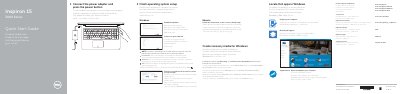
This Dell Quick Start Guide helps users set up the Inspiron 15 3000 Series computer. It covers connecting the power adapter, completing operating system setup, enabling Dell updates, connecting to a network, and signing in to a Microsoft or local account.
The guide also lists computer features such as the microphone, camera, HDMI port, USB ports, optical drive, and battery. It includes shortcut key functions and directs users to Dell.com/support for product manuals, regulatory information, and recovery media creation.
| USB 2.0 ports | 2 |
|---|---|
| USB 3.0 port | 1 |
| HDMI port | 1 |
| Optical drive | 1 |
It covers the Inspiron 15 3000 Series computer.
Enter the password for the wireless network access when prompted.
More specifications are available at Dell.com/support.