
Key facts
Start here
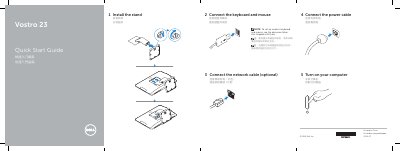
Dell Vostro 23-3340 Quick Start Guide
Quick Start Guide 2 pages · 215 KB · ZH
This guide helps you connect peripherals and power your Dell Vostro 23-3340. It lists ports and features like HDMI, USB, camera, and audio. For wireless devices, refer to their own documentation. This manual is written in Chinese.
Read onlineDell Vostro 23-3340 specifications
| Processor | Intel Pentium Dual Core (4th Gen) or Intel Core i3/i5 (4th Gen) |
|---|---|
| Memory Capacity | 2 GB to 16 GB |
| Video Type | Integrated Intel HD 4600 or AMD Radeon R7 A265 |
| Network | Realtek 10/100/1000 Mbps Ethernet |
| Battery | 3 V CR2032 Lithium Battery |
| Input Voltage | 100 VAC – 240 VAC |
| Weight (Max) | 9.24 kg (2.07 lbs) with stand |
Source: Dell Vostro 23-3340 User Manual
All Dell Vostro 23-3340 documents by type
Quick Start Guide 1
The shortest path to a working setup, usually only a few pages.
User Manual 1
Day-to-day operation, settings and troubleshooting. Start here if the product is already set up.
Questions answered in these manuals
What is the first step to set up the computer?
Install the stand.
Is connecting the network cable required?
No, connecting the network cable is optional.
What should I do before removing internal components?
Read the safety information included with the computer and follow the steps in the section before removing internal components.
How do I enter the service tag in the BIOS?
Navigate to the System Setup Program options and select the option to enter the service tag.