
Dell Inspiron 15 3000 Series Computer Quick Start Guide

This document is a quick start guide for Dell computers. It introduces how to set up and use a Dell computer.
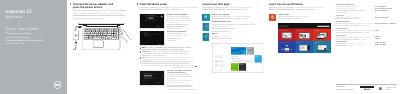

Dell Inspiron 15 3000 Series Computer Quick Start Guide - cover page
Brand
DELL
Category
Laptops
Document type
Quick Start Guide
Language
English
Pages
2
File format
PDF
File size
954 KB
Published
22 November, 2023
Updated
22 November, 2023
MD5 checksum
12C52D10757382F737653C0CB2869073

About this manual

This quick start guide helps set up and use Dell Inspiron 15 3000 Series computers, including finishing Windows setup, locating Dell apps, connecting power and network, and registering the computer.

It identifies external features and ports, lists shortcut keys, and points to Dell support, manuals, backup and recovery, and regulatory information.

What's inside

  • Finish Windows setup
  • Locate your Dell apps
  • Learn how to use Windows
  • My Dell
  • Register your computer
  • Dell Backup and Recovery
  • Product support and manuals
  • Contact Dell
  • Regulatory and safety
  • Features

Specifications

USB 3.0 ports1
USB 2.0 ports2
HDMI port1
Media-card reader1
Network portInspiron 3558 only

Frequently asked questions

How do I connect to a secured wireless network?

Enter the password for the wireless network access when prompted.

Where can I find more specifications for this computer?

See Specifications at dell.com/support.

Where is the regulatory label located?

In the battery bay.

Which models include a network port?

Only Inspiron 3558.

Download PDF (954 KB)

More DELL Manuals


View all DELL manuals →