
Dell Inspiron 15 3000 Series Laptop Quick Start Guide

Dell Inspiron 15 3000 Series Laptop Quick Start Guide.
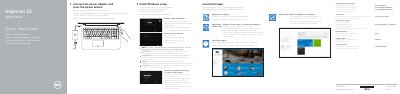

Dell Inspiron 15 3000 Series Laptop Quick Start Guide - cover page
Brand
DELL
Category
Laptops
Document type
Quick Start Guide
Language
English
Pages
2
File format
PDF
File size
361 KB
Published
22 November, 2023
Updated
22 November, 2023
MD5 checksum
D45A02125DA37CAB3BC4C6BFADDE966E

About this manual

This Quick Start Guide covers the Dell Inspiron 15 3000 Series laptop. It says to connect the power adapter and press the power button to start the computer.

It also lists Windows setup steps, security and update options, network connection, sign-in steps, Dell app location, update checks, registration, backup and recovery, and help and support information.

What's inside

  • Quick Start Guide
  • Product Support and Manuals
  • Regulatory and Safety
  • Features
  • Shortcut Keys
  • Finish Windows Setup
  • Sign In to Your Microsoft Account or Create a Local Account
  • Locate Dell Apps
  • Check and Update Your Computer
  • Backup and Recovery

Frequently asked questions

How do I turn on the Dell Inspiron 15 3000 Series laptop?

Connect the power adapter and press the power button.

What should I do after starting the laptop?

Finish Windows setup, enable security and updates, connect to the network, and sign in to a Microsoft or local account.

What should I do if I need more help?

See the Specifications at Dell.com/support or Dell Help & Support.

Download PDF (361 KB)

More DELL Manuals


View all DELL manuals →