
Key facts
Start here
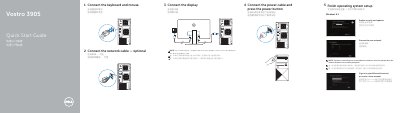
Dell Vostro 3905 Quick Start Guide
This guide helps you set up your Dell Vostro 3905 laptop by connecting peripherals, configuring the operating system, and connecting to a network. It includes instructions for enabling security updates, signing in to Microsoft or local accounts, and connecting displays. The guide also lists hardware components like ports, connectors, and diagnostic lights for reference.
The guide covers Windows 8.1 and Ubuntu setup, with notes for secure wireless networks and discrete graphics card connections. It also provides links to Dell support, backup tools, and regulatory information for the model Vostro -3905. This manual is written in Chinese.
All Dell Vostro 3905 documents by type
The shortest path to a working setup, usually only a few pages.
Questions answered in these manuals
Where should the display be connected if the computer has a discrete graphics card?
If the computer was ordered with a discrete graphics card, connect the display to that card.
What should be done when connecting to a secured wireless network?
Enter the password for the wireless network access when prompted.
What should I do if I am connecting to a secured wireless network?
You must enter the password for the wireless network access when prompted.
Where should I connect the display if my computer has a discrete graphics card?
Connect the display to the discrete graphics card.
What should I do if my Dell Vostro 3905 has a discrete graphics card?
Connect the display to the discrete graphics card.
How do I connect to a secured wireless network?
Enter the password for the wireless network access when prompted.