
Dell Inspiron 15 3000 Series Quick Start Guide

This document describes how to set up Windows.
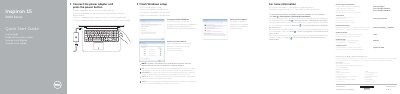

Dell Inspiron 15 3000 Series Quick Start Guide - cover page
Brand
DELL
Category
Laptops
Document type
User Manual
Language
English
Pages
2
File format
PDF
File size
318 KB
Published
22 November, 2023
Updated
22 November, 2023
MD5 checksum
479FFDC58931CFC56F63E99753F78F20

About this manual

This document serves as a Quick Start Guide for the Dell Inspiron 15 3000 Series laptop. It provides instructions for finishing the Windows setup process, including connecting the power adapter and setting up a password. The guide also explains how to connect to a network and access Dell Help Documentation.

What's inside

  • Finish Windows setup
  • Set up password for Windows
  • Connect to your network
  • Protect your computer
  • Features
  • Shortcut keys
  • Mute audio
  • Increase volume
  • Play/Pause
  • Toggle Fn-key lock

Specifications

Regulatory modelP47F
Computer modelInspiron 15-3558
Input Voltage100 V CA–240 V CA
Input Frequency50 Hz–60 Hz
Output Voltage19,50 V DC

Frequently asked questions

How do I finish the Windows setup?

Connect the power adapter and press the power button.

How do I protect my computer?

To learn about features and advanced options, click Start → All Programs→ Dell Help Documentation.

Download PDF (318 KB)

More DELL Manuals


View all DELL manuals →