
Key facts
- Brand
- DELL
- Model
- OptiPlex SFF 980 AIO Stand
- Category
- Other Computer Accessories
- Documents
- 2
- Languages
- EN
- Last added
- 2023-11-25
Start here
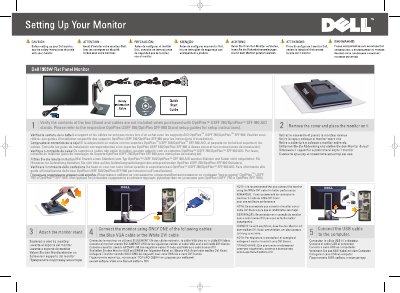
Dell OptiPlex USFF 780/OptiPlex SFF 980 AIO Stand Quick Start Guide
This Dell document covers the OptiPlex USFF 780/OptiPlex SFF 980 AIO Stand and explains how to verify box contents. It notes that the stand and cables are not included when purchased with certain OptiPlex AIO stands and refers users to separate stand setup guides.
The document identifies stand and monitor parts including USB downstream ports, the regulatory and PPID label, brightness/contrast controls, auto adjust, input source, the OSD menu, Dell Soundbar mounting brackets, the stand release button, and the cable management slot.
All Dell OptiPlex SFF 980 AIO Stand documents by type
The shortest path to a working setup, usually only a few pages.
Day-to-day operation, settings and troubleshooting. Start here if the product is already set up.
Questions answered in these manuals
Are the stand and cables included with the OptiPlex USFF 780/OptiPlex SFF 980 AIO?
No. The stand and cables are not included when purchased with those OptiPlex AIO stands.
From: Dell OptiPlex USFF 780/OptiPlex SFF 980 AIO Stand Quick Start Guide
Is rotation applicable for the AIO stand?
No. Rotation is not applicable for the AIO stand.
From: Dell OptiPlex USFF 780/OptiPlex SFF 980 AIO Stand Quick Start Guide