
Key facts
- Brand
- DELL
- Model
- D6000
- Category
- Other Computer Accessories
- Industry
- Computers
- Documents
- 3
- Languages
- ZH
- Last added
- 2026-10-26
Start here
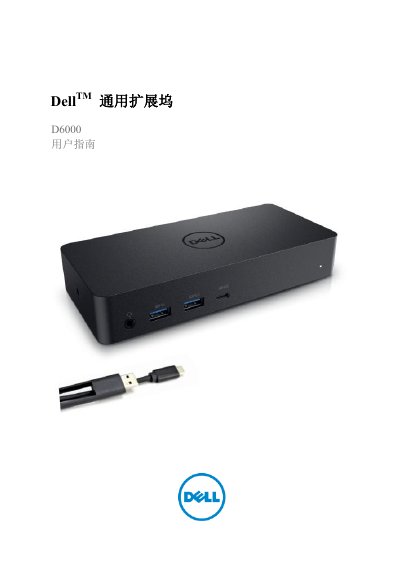
Dell D6000 Universal Docking Station User Guide
This document is the user guide for the Dell D6000 Universal Docking Station. It provides instructions on unpacking the device, connecting it to a computer via USB-C or USB 3.0 Type A, and setting up the necessary drivers and software, such as DisplayLink Manager. The guide details how to configure video outputs, including support for 4K resolutions, and how to use the docking station with various peripherals like monitors, Ethernet, and audio devices. This manual is written in Chinese.
Read onlineDell D6000 specifications
| Signal Speed | 5 Gigabits per second |
|---|---|
| USB Support | USB 3.1 Gen1 |
| Max Resolution (USB-C) | 4K@60Hz |
| Operating Temperature | Maximum 40°C |
| Power Output | 19.5V DC / 6.7A |
All Dell D6000 documents by type
Day-to-day operation, settings and troubleshooting. Start here if the product is already set up.
Questions answered in these manuals
What are the system requirements for 4K UHD resolution?
The processor must be an Intel Core i3 2+GHz, Intel Core M, or AMD Trinity or higher configuration.
How do I resolve issues with no video display on the monitor?
Check the video connection cable, unplug the power, wait 10 seconds, and reconnect.
Is the WD19TBS dock compatible with Mac devices?
Yes, the WD19TBS dock is Apple® certified and can be used with Mac devices.
From: Dell WD19S/WD19TBS/WD19DCS/D6000S Commercial Docking Stations Product Leaflet
Can I upgrade the WD19S dock to support Thunderbolt?
Yes, you can upgrade the WD19S to the WD19TBS by replacing the docking module.
From: Dell WD19S/WD19TBS/WD19DCS/D6000S Commercial Docking Stations Product Leaflet
Why are the dock's USB ports not working?
Unplug the power adapter, wait 10 seconds, then reconnect, and update to the latest USB 3.0 host controller.