
Key facts
- Brand
- DELL
- Model
- WB7022
- Category
- Other Computer Accessories
- Industry
- Computers
- Documents
- 2
- Languages
- EN · ZH
- Last added
- 2026-10-21
Start here
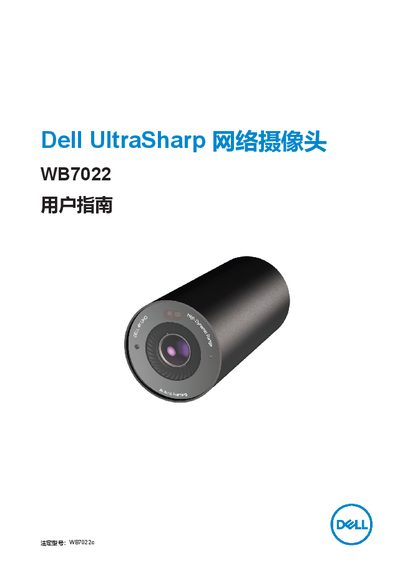
Dell WB7022c Network Camera User Guide
The Dell WB7022c is a network camera in Dell's UltraSharp peripheral series, offering 4K video, AI auto‑framing, HDR, and Windows Hello support. This guide explains the camera’s functions and how to customize settings with Dell Peripheral Manager.
The manual includes a packaging list, detailed instructions for mounting the camera on a monitor or tripod, a feature summary, technical specifications, a section on Dell Peripheral Manager, common questions, troubleshooting tips, legal information, and contact details for support. This manual is written in Chinese.
Dell WB7022 specifications
| Resolution / FPS | 4K UHD / 24, 30; Full HD / 24, 30, 60 |
|---|---|
| Sensor | Large Sony STARVIS CMOS sensor |
| Megapixel | 8.3MP |
| Field of View | 65, 78, 90 degrees |
| Digital Zoom | Up to 5X |
| Dimensions | 42mm (Diameter) x 90mm (Length) |
| Material | Anodized Aluminum |
| Warranty | 3 years |
All Dell WB7022 documents by type
Day-to-day operation, settings and troubleshooting. Start here if the product is already set up.
Questions answered in these manuals
Is the Dell UltraSharp Webcam WB7022 compatible with Mac?
No, it requires the Dell Peripheral Manager for Windows OS; Mac users should use the Dell Display Manager software.
Does the webcam support Windows Hello?
Yes, it features facial recognition for Dell ExpressSign-in and Windows Hello facial recognition.
How can I disable HDR to use auto‑exposure and frame‑rate settings?
Open Dell Peripheral Manager, go to the Color and Image section, and turn off the HDR toggle.