
Dell Latitude 15 3580 3000 Series Notebook Quick Start Guide

The Dell Latitude 15 3580 3000 Series Notebook Quick Start Guide
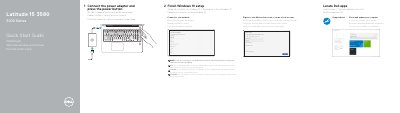

Dell Latitude 15 3580 3000 Series Notebook Quick Start Guide - cover page
Brand
DELL
Category
Laptops
Document type
Quick Start Guide
Language
English
Pages
2
File format
PDF
File size
481 KB
Published
22 November, 2023
Updated
22 November, 2023
MD5 checksum
3571AA316AE00D59F28CB49B82EEF66B

About this manual

This quick start guide helps set up a Dell Latitude 15 3580 3000 Series notebook. It outlines locating Dell apps, checking and updating the computer, connecting the power adapter, finishing Windows 10 setup, connecting to a network, and signing in.

The guide also identifies notebook features and ports, including camera, microphones, USB, HDMI, VGA, network, power adapter, memory card reader, fingerprint reader, and service tag. It lists product support, manuals, contact, and regulatory information.

What's inside

  • Features
  • Product support and manuals
  • Contact Dell
  • Regulatory and safety
  • Regulatory model
  • Regulatory type
  • Computer model

Frequently asked questions

What should I do when connecting to a secured wireless network?

Enter the password for the wireless network access when prompted.

Which features are touch-version only?

Infrared camera, infrared emitter, camera status light, camera, and microphones are touch version only.

Download PDF (481 KB)

More DELL Manuals


View all DELL manuals →