
Dell Latitude 15 3580 3000 Series Quick Start Guide

Dell Latitude 15 3580 3000 Series Quick Start Guide
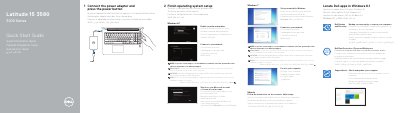

Dell Latitude 15 3580 3000 Series Quick Start Guide - cover page
Brand
DELL
Category
Laptops
Document type
Quick Start Guide
Language
English
Pages
2
File format
PDF
File size
1.1 MB
Published
22 November, 2023
Updated
22 November, 2023
MD5 checksum
6838ED44E0709FD05EE372AD2B536969

About this manual

This document serves as a Quick Start Guide for the Dell Latitude 15 3580 3000 Series. It outlines the initial steps to locate Dell apps, configure the operating system, enable security updates, and connect to a network. The guide covers procedures for Windows 8.1 and Ubuntu, including account creation and password setting.

What's inside

  • Locate Dell apps
  • Backup and Recovery
  • Dell Data Protection
  • SupportAssist
  • Finish operating system setup
  • Enable security and updates
  • Connect to your network
  • Features and Ports

Specifications

Regulatory ModelP79G
Regulatory TypeP79G002
Computer ModelLatitude 15-3580

Frequently asked questions

What should I do if I am connecting to a secured wireless network?

Enter the password for the wireless network access when prompted.

How do I protect my computer from advanced malware attacks?

Use Dell Data Protection | Protected Workspace to protect your computer and data.

Download PDF (1.1 MB)

More DELL Manuals


View all DELL manuals →