
The Dell Latitude 5580 Quick Start Guide provides information on how to set up and use the Dell Latitude 5580 laptop.
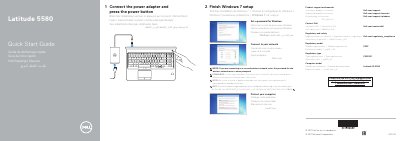
This guide provides quick start steps for the Dell Latitude 5580: connect the power adapter and press the power button, finish Windows 7 setup, set a password for Windows, connect to your network, and protect your computer.
It also lists product features and ports, including optional infrared camera, fingerprint reader, smart card reader, and DisplayPort over Type-C/Thunderbolt 3, and provides links for product support, manuals, contact, and regulatory information.
| Regulatory model | P60F |
|---|---|
| Regulatory type | P60F001 |
| Computer model | Latitude 15-5580 |
Product support and manuals are available at Dell.com/support and Dell.com/support/manuals.
Enter the password for the wireless network access when prompted.
Contact Dell at Dell.com/contactdell.
Regulatory and safety information is available at Dell.com/regulatory_compliance.