
Key facts
- Brand
- AXIS
- Model
- P33
- Industry
- Electronics
- Documents
- 7
- Languages
- EN · ZH
- Last added
- 2012-05-11
Start here
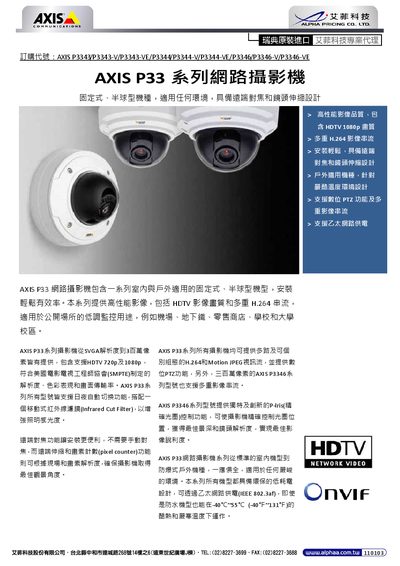
Axis P33 Series Network Camera User Manual
This manual covers the AXIS P33 series network cameras, including indoor and outdoor models such as P3343, P3344, and P3346. It describes key features like high‑definition video, automatic day/night IR switching, and PoE power support.
Installation guidance, mounting accessories, environmental ratings, and detailed technical specifications are provided to help users set up and operate the cameras in various environments. This manual is written in Chinese.
AXIS P33 specifications
| Dimensions (HxW) – AXIS P3343 / P3344 | 97 x 148 mm |
|---|---|
| Weight – AXIS P3343 / P3344 | 445 g |
| Battery type | 3.0 V CR2032 Lithium |
All AXIS P33 documents by type
Day-to-day operation, settings and troubleshooting. Start here if the product is already set up.
Mounting, wiring and first power-up. Read it before the hardware goes in.
How to use the product for one specific task, with worked examples.
Questions answered in these manuals
Where can I find a list of compatible mounts for the pendant kit?
A list of compatible mounts is available on the Axis website under Accessories.
What type of battery does the Axis P33 camera use?
It uses a 3.0 V CR2032 Lithium battery for the internal real‑time clock.
How should the dome cover be cleaned?
Clean with a non‑abrasive, solvent‑free neutral soap or detergent mixed with water and a soft cloth, then rinse and dry with a soft cloth.
How do I recalibrate the focus and zoom on an Axis P33 series camera?
Open the camera’s web interface, go to System Options > Maintenance, and click the Calibrate button under Optics.
What must I avoid while calibrating the camera?
Do not adjust the camera lens by hand during calibration.
What PoE standard does the AXIS P33 series support?
The cameras support IEEE 802.3af Power over Ethernet.