
Key facts
- Brand
- AXIS
- Model
- P11 Series
- Industry
- Electronics
- Documents
- 2
- Languages
- ZH
- Last added
- 2026-10-07
Start here
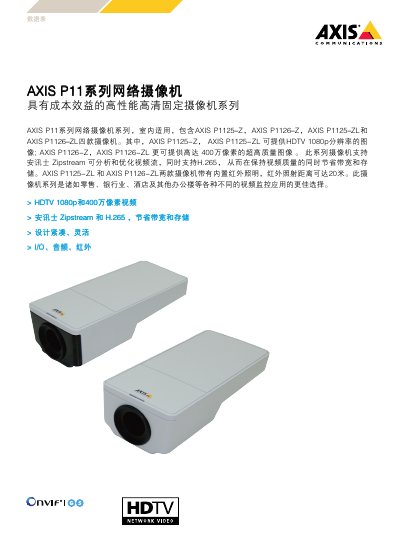
Axis P11 Series Network Camera Product Sheet
The Axis P11 Series is an indoor‑mounted fixed network camera family that includes four models (P1125‑Z, P1126‑Z, P1125‑ZL, P1126‑ZL). It provides HDTV 1080p resolution and up to 4 MP image quality, with built‑in Zipstream technology and H.265 compression to reduce bandwidth and storage.
The cameras feature a 1/3" RGB CMOS sensor, varifocal 2.8‑10 mm lens (F1.6), infrared LEDs reaching 20 m, PoE class 2 or 3 power options, and extensive network security protocols. Physical dimensions are 157 × 73 × 48 mm and weight around 270‑275 g. This manual is written in Chinese.
Axis P11 Series specifications
| Maximum resolution | 4 MP |
|---|---|
| HDTV resolution | 1080p |
| Infrared illumination range | 20 m |
| Lens focal length | 2.8–10 mm |
| Horizontal field of view | 97°–33° |
| Vertical field of view | 53°–18.6° |
| Frame rate (1080p) | 50/60 fps |
| Frame rate (4 MP) | 25/30 fps |
| PoE class (P1125‑Z / P1126‑Z) | Class 2, max 3.5 W |
| PoE class (P1125‑ZL / P1126‑ZL) | Class 3, max 7.2 W |
| Memory | 512 MB SDRAM, 256 MB flash |
| Dimensions (L×W×H) | 157 × 73 × 48 mm |
| Operating temperature | 0 °C – 55 °C |
| Relative humidity | 10 % – 85 % RH |
All Axis P11 Series documents by type
Mounting, wiring and first power-up. Read it before the hardware goes in.
Questions answered in these manuals
What is the infrared illumination range of the Axis P11 Series cameras?
The infrared LEDs can illuminate objects up to 20 meters away.
How do I reset the camera to factory defaults?
Power off the device, hold the control button for 15–30 seconds until the LED status indicator flashes yellow, then release the button; when the LED turns green the reset is complete.
What type of network cable is recommended?
Use shielded twisted‑pair (STP) CAT5 cable or a higher‑grade cable.