
Key facts
- Brand
- Vaisala
- Model
- MI70LINK
- Industry
- Industrial
- Documents
- 3
- Languages
- JA
- Last added
- 2012-04-06
Start here
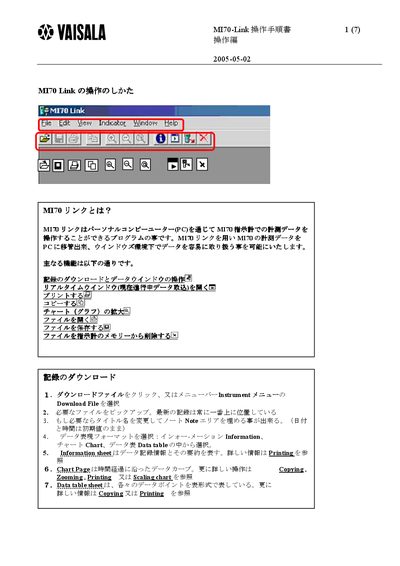
Vaisala MI70 Link Software User Manual
The MI70 Link program allows users to download measurement data from the MT70 instrument to a PC and handle it within a Windows environment. It provides functions such as record download, real‑time monitoring, chart display, and file management.
The manual describes how to use the Download File menu, view information sheets, manipulate chart scaling and zoom, set monitoring intervals, and open, save, or delete files in the MI70 format, CSV or plain‑text. This manual is written in Japanese.
Vaisala MI70LINK specifications
| Monitoring interval range | 1 second to 12 hours |
|---|---|
| Maximum monitoring period (1 s interval) | 18 hours |
| Maximum monitoring period (15 min interval) | 677 days (≈1.8 years) |
Source: Vaisala MI70 Link User Manual
All Vaisala MI70LINK documents by type
Day-to-day operation, settings and troubleshooting. Start here if the product is already set up.
Questions answered in these manuals
How can I change the Y‑axis scaling of a chart?
Right‑click near the bottom of the chart, choose Axis (or use the View menu), and adjust the scaling settings.
How can I change the Y‑axis scaling of a chart?
Right‑click near the bottom of the chart and choose Axis, or open the View menu and select Axis to adjust the Y‑axis scaling.
How do I open a file in MI70 Link?
Click the Open button, select a file with the *.m70 format, or drag a file icon from Windows Explorer into the MI70 Link window.