
Key facts
- Manuals
- 254
- Models
- 58
- Languages
- ZH · EN
- Last added
- 2026-10-03
Vaisala models by category
Featured Vaisala manuals
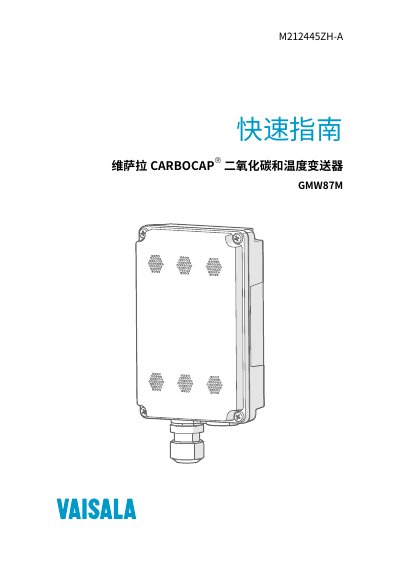
Vaisala GMW87M CO2 and Temperature Transmitter Quick Start Guide
The GMW87M is a wall‑mounted CO₂ and temperature transmitter designed for harsh environments. It connects via an RS‑485 port using Modbus RTU and can be configured with DIP switches on the circuit board.
The guide covers product overview, safety, regulatory compliance, installation steps, wiring details, Modbus communication settings, troubleshooting, technical specifications, warranty, and support information. This manual is written in Chinese.
Covers: Product Introduction · Transmitter Parts · Safety · Regulatory Compliance · Installation · Wiring
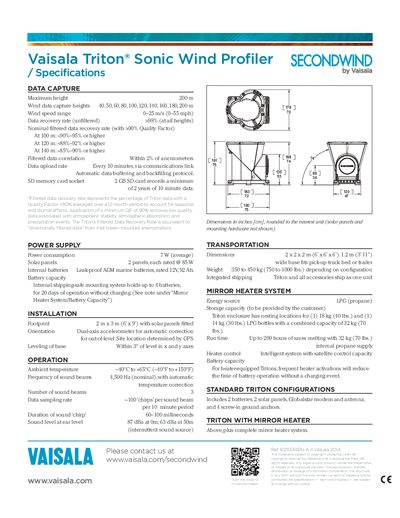
Vaisala Triton Sonic Wind Profiler Specifications
The Vaisala Triton Sonic Wind Profiler is a meteorological instrument designed to capture wind data up to 200 m height. It uses three 4.5 kHz sound beams and provides high‑quality measurements across a wide temperature range.
Key specifications include a wind speed range of 0–25 m/s, power consumption of 7 W, solar‑powered operation with two 85 W panels, and a rugged design with dimensions 2 × 2 × 2 m and weight up to 450 kg. The system also offers a mirror heater powered by LPG for extended operation in snow.
Covers: DATA CAPTURE · POWER SUPPLY · INSTALLATION · OPERATION · TRANSPORTATION · MIRROR HEATER SYSTEM
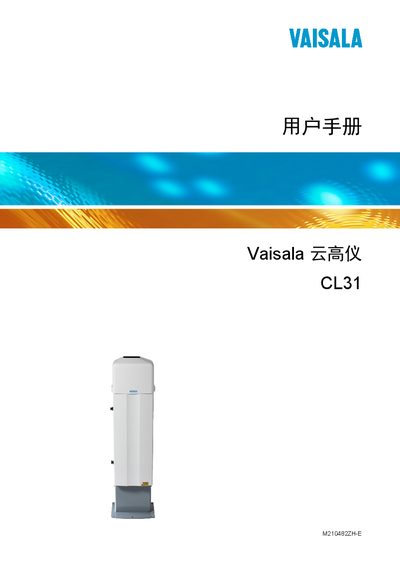
Vaisala CL31 Cloud Lidar User Manual
This manual covers the Vaisala CL31 cloud lidar, a lidar instrument for measuring cloud height and atmospheric visibility. It includes safety information, product terminology, and an overview of the device’s functions.
The document is organized into chapters on installation, functional description, operation modes, regular maintenance, troubleshooting, repair procedures, and technical data such as dimensions, performance specifications, and environmental limits. This manual is written in Chinese.
Covers: Overview · Product Introduction · Installation · Function Introduction · Operation · Maintenance
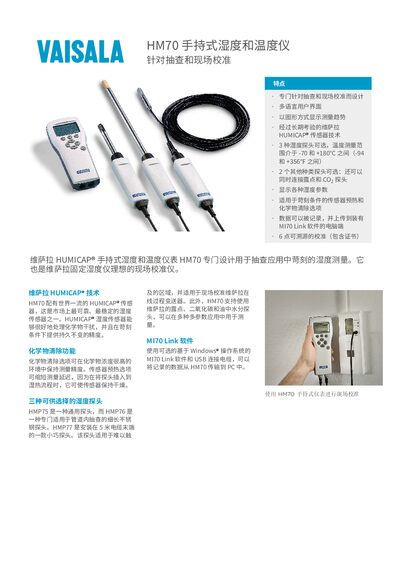
Vaisala HM70 Handheld Humidity and Temperature Instrument User Manual
The HM70 is designed for spot‑check and on‑site calibration of humidity and temperature. It offers a multi‑language UI, graphical trend display, and optional probes for dew‑point, CO₂ and other parameters, making it suitable for harsh environments.
Technical data include a temperature range of –70 °C to +180 °C, humidity range of 0‑100 %RH, and high accuracy. The unit records up to 2700 data points and transfers them via USB to a PC running MI70 Link software. Accessories such as protective cases and extension cables are available. This manual is written in Chinese.
Covers: Features · Technical Specifications · Probe Options · Software and Data Transfer · Accessories
Latest Vaisala manuals
Vaisala GMW87M CO2 and Temperature Transmitter Quick Start Guide
Quick Start Guide 18 pages · 1.3 MB · ZHQuick guide for installing, wiring, and using the Vaisala GMW87M CO2 and temperature wall‑mounted transmitter.
Vaisala Triton Sonic Wind Profiler Specifications
Product Leaflet 1 pages · 236 KB · ENThe Vaisala Triton Sonic Wind Profiler specifications detail data capture, power, installation, operation, transportation, and mirror heater system.
Vaisala CL31 Cloud Lidar User Manual
User Manual 140 pages · 4.6 MB · ZHThe Vaisala CL31 cloud lidar user manual provides installation, operation, maintenance and troubleshooting instructions.
Vaisala HM70 Handheld Humidity and Temperature Instrument User Manual
User Manual 3 pages · 967 KB · ZHThe Vaisala HM70 handheld instrument measures humidity and temperature with multiple probe options, data logging, and a multi‑language interface for field…
Vaisala HM40 Handheld Humidity/Temperature Instrument Datasheet
Datasheet 2 pages · 605 KB · ZHThe Vaisala HM40 is a compact handheld humidity and temperature instrument with dual model options, multi‑language display, and interchangeable sensor probes.
Vaisala VL 2000 and SP 2000 Temperature Humidity Logger Datasheet
Datasheet 5 pages · 85 KB · ENTechnical specifications for Vaisala VL 2000 and SP 2000 temperature‑humidity loggers used in regulated and pharmaceutical environments.
VAISALA HMP240 SERIES Dewpoint Transmitters Manual
HMP240 series Dewpoint Transmitters provide fast and reliable dewpoint measurement especially under high humidity conditions where dew would normally form on the humidity sensor head and thereby cause errors in measurements.
Vaisala Veriteq Spectrum 4.0 User Guide
This manual describes how to use the Veriteq Spectrum 4.0 data logger.
Vaisala Veriteq vLog 4.4 User Guide
Veriteq vLog 4.4 User's Guide
VAISALA viewLinc 3.6 Admin Guide(4)
This is an Administrator Guide for Vaisala Veriteq viewLinc Software
VAISALA viewLinc 3.6 Admin Guide(3)
This is a Vaisala Veriteq viewLinc software user manual
VAISALA viewLinc 4.0 Admin Guide(1)
This document is the administrator guide for Vaisala Veriteq viewLinc Software
VAISALA viewLinc 4.0 Admin Guide(1)(1)
This is a user guide for Vaisala Veriteq viewLinc software. It introduces the software's functions, usage methods and precautions.
VAISALA viewLinc 3.6 Admin Guide(2)
The viewLinc 3.6 Administrator Guide describes the functionality and usage of viewLinc software.
VAISALA viewLinc 3.6 Admin Guide(1)
Which document do I need?
Quick Start Guide
The shortest path to a working setup, usually only a few pages.
User Manual
Day-to-day operation, settings and troubleshooting. Start here if the product is already set up.
Datasheet
Ratings, dimensions and ordering codes, for selection and design work.
Questions answered in Vaisala manuals
How many GMW87M transmitters can be placed on the same RS‑485 line?
Up to eight transmitters can share a single RS‑485 bus.
From: Vaisala GMW87M CO2 and Temperature Transmitter Quick Start Guide
How is the Modbus address set for the GMW87M?
The address is set with DIP switches on the board; the address range is 1 to 247.
From: Vaisala GMW87M CO2 and Temperature Transmitter Quick Start Guide
What is the maximum height at which the Triton can capture wind data?
It can capture wind data up to 200 m height.
How much power does the Triton consume on average?
The average power consumption is 7 W.
What is the measurement range of the CL31?
The CL31 can measure from 0 up to 7.5 km.
What temperature range can the CL31 operate in?
It operates between –40 °C and +60 °C.