
Key facts
- Brand
- Vaisala
- Model
- HMT360
- Industry
- Industrial
- Documents
- 7
- Languages
- FI · DE · FR · EN
- Last added
- 2012-04-06
Start here
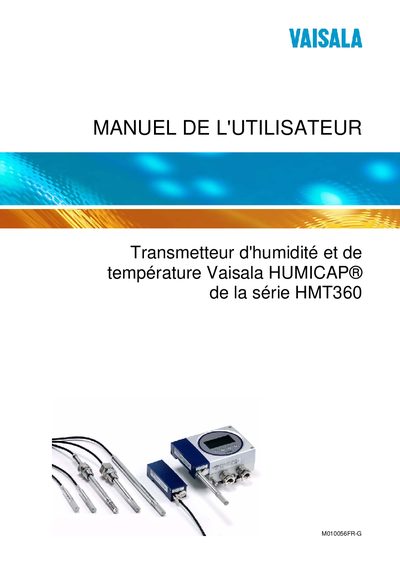
Vaisala HMT360 Humidity and Temperature Transmitter User Manual
This manual provides detailed instructions for the Vaisala HUMICAP® HMT360 series humidity and temperature transmitter. It includes safety considerations, installation steps, wiring diagrams, and guidance for configuring analog outputs and DIP switches.
The document also covers calibration procedures, regular maintenance, troubleshooting of common errors, and technical data such as measurement accuracy and environmental limits. Appendices contain dimensions, cable‑routing examples, and certification information. This manual is written in French.
Vaisala HMT360 specifications
| Relative humidity accuracy | ±2.00 %RH |
|---|---|
| Calculated variable accuracy | Specified in manual |
| Dew‑point temperature accuracy | Specified in °C |
| Mixing ratio accuracy | Specified in g/kg |
Source: Vaisala HMT360 Humidity and Temperature Transmitter User Manual
All Vaisala HMT360 documents by type
Day-to-day operation, settings and troubleshooting. Start here if the product is already set up.
Mounting, wiring and first power-up. Read it before the hardware goes in.
Questions answered in these manuals
How do I install the HMT360 transmitter?
The manual provides step‑by‑step installation instructions, including mounting the probe and connecting the cable assemblies.
How do I reset the HMT360 transmitter?
Use the RESET function as described in the manual to re‑initialize the transmitter.
From: Vaisala HMT360 Humidity and Temperature Transmitter User Manual
What safety precautions are required for this product?
Follow the product‑related safety precautions listed in the manual before installation or maintenance.
From: Vaisala HMT360 Humidity and Temperature Transmitter User Manual
How is the HMT360 transmitter installed?
Installation follows the steps in Chapter 3, which include mounting the transmitter housing, selecting a suitable location, and connecting the probe and wiring.
From: Vaisala HMT360 Dewpoint and Temperature Transmitter User's Guide
How do you calibrate the HMT360 transmitter?
Calibration is performed by removing the electronics unit and following the calibration procedures described, such as connecting a power supply and multimeter for analog output calibration.
From: Vaisala HMT360 Dewpoint and Temperature Transmitter User's Guide
How do I turn the HMT360 on or off?
Use the Power ON/OFF switch as described in the manual.
From: Vaisala HMT360 Dewpoint and Temperature Transmitter User Manual