
Key facts
- Brand
- Vaisala
- Model
- WXT520
- Documents
- 5
- Languages
- JA · FR · EN
- Last added
- 2012-04-06
Start here
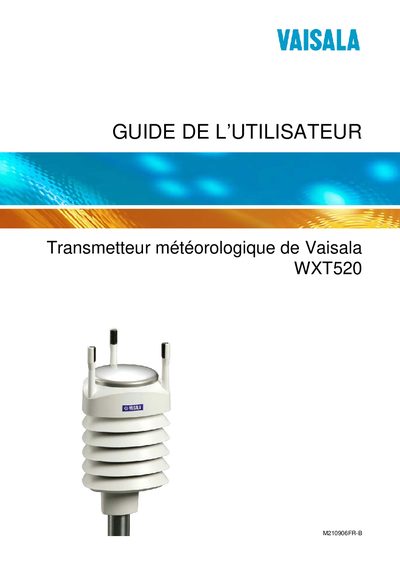
Vaisala WXT520 User Guide
The WXT520 is a compact weather transmitter that measures wind, precipitation, temperature, humidity and pressure. This guide explains how to install, configure, and maintain the device safely and effectively.
Key sections cover safety considerations, unpacking, mounting options, wiring, communication protocols (SDI‑12, RS‑485, NMEA‑0183), sensor calibration, troubleshooting, and full technical specifications. This manual is written in French.
Vaisala WXT520 specifications
| Average power consumption (4 Hz wind sensor sampling) | 40 W |
|---|---|
| Connector type | 8‑pin M12 connector |
| Temperature range accuracy | specified in manual |
Source: Vaisala WXT520 User Manual
All Vaisala WXT520 documents by type
Day-to-day operation, settings and troubleshooting. Start here if the product is already set up.
Questions answered in these manuals
How can I adjust the direction of the WXT520?
Use the compass adjustment procedure described in the manual to correct wind direction.
How do I reset the precipitation counter?
Send the reset command (aXZRU) to the transmitter to reset the precipitation counter.
How is the WXT520 calibrated or serviced?
Factory calibration and service are performed by Vaisala service centers, and users can adjust sensor settings via the configuration commands.
How do I ground the WXT520?
Grounding the WXT520 is performed using the bushing and grounding kit as described in the manual.
Which communication interfaces does the WXT520 support?
The WXT520 supports RS‑485, USB, M12 connector, SDI‑12, and NMEA 0183 v3.0 protocols.
How can the direction of the WXT520 be adjusted?
Direction adjustment is performed using the direction adjustment procedure described in the manual under "WXT520 の方向調整".