
Key facts
- Brand
- SONY
- Model
- W40
- Category
- Digital cameras
- Industry
- Electronics
- Documents
- 4
- Languages
- EN · ZH
- Last added
- 2023-10-17
Start here
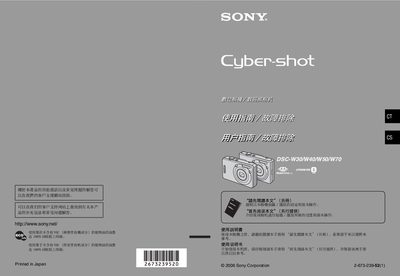
Sony DSC-W30/W40/W50/W70 Digital Camera User Manual
This manual covers safety precautions, battery handling, and compatible memory media for the DSC‑W30/W40/W50/W70 series. It explains the use of Memory Stick Duo cards, cautions against exposure to rain or moisture, and details care for the LCD screen and Carl Zeiss lens.
The guide also describes camera functions, menu navigation, connecting the camera to a PC or printer (including PictBridge printing), and troubleshooting common issues. An index and specifications are provided at the end of the document. This manual is written in Chinese.
SONY W40 specifications
| Internal memory | 58 MB (DSC‑W70) / 32 MB (DSC‑W30/W40/W50) |
|---|---|
| Battery charging time (practical) | ≈ 270 min |
| LCD pixel operability | > 99.99 % operational |
| Minimum shooting distance (W side) DSC‑W70 | 0.2 m to 3.7 m |
| Minimum shooting distance (W side) DSC‑W30/W40/W50 | 0.2 m to 4.2 m |
| Supported memory card | Memory Stick Duo only |
All SONY W40 documents by type
Day-to-day operation, settings and troubleshooting. Start here if the product is already set up.
Questions answered in these manuals
What model numbers are covered in this manual?
The manual covers models DSC-W30, DSC-W40, DSC-W50, and DSC-W70.
From: Sony DSC-W30/W40/W50/W70 Digital Camera Operating Instructions
Where are the model and serial numbers located?
The model and serial numbers are located on the bottom of the camera.
From: Sony DSC-W30/W40/W50/W70 Digital Camera Operating Instructions
How do I change the language setting on the camera?
Press MENU, select Setup, then choose Language and pick the desired language.
Can I use a standard Memory Stick with this camera?
No. The camera only supports Memory Stick Duo cards; standard Memory Sticks cannot be used.
What type of memory card does the DSC‑W70 support?
The camera supports Memory Stick Duo cards only.
Can the camera be used in rain or wet conditions?
No, the camera should not be exposed to rain or moisture.