
Explains how to use a battery charger to charge a battery
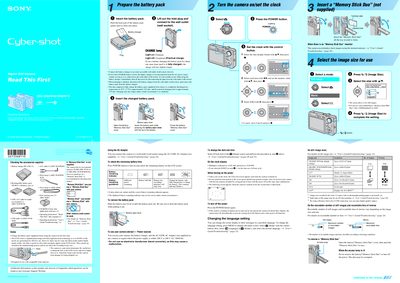
This manual covers the Sony DSC-W30/W40/W50/W70 digital cameras, which include internal memory (58 MB for DSC‑W70, 32 MB for the other models) and support optional Memory Stick Duo cards. It lists the supplied accessories such as the rechargeable NP‑BG1 battery pack, charger, USB/A‑V cable, and wrist strap, and explains how to charge the battery and use the AC adaptor.
Operating instructions include powering the camera on, setting the clock and language, selecting image size and scene modes, using flash, zoom, self‑timer, and playback functions. The guide also details how to insert and remove Memory Stick Duo cards, delete images, and adjust LCD brightness for outdoor viewing.
| Internal memory | 58 MB (DSC‑W70) / 32 MB (DSC‑W30/W40/W50) |
|---|---|
| Battery charging time (practical) | ≈ 270 min |
| LCD pixel operability | > 99.99 % operational |
| Minimum shooting distance (W side) DSC‑W70 | 0.2 m to 3.7 m |
| Minimum shooting distance (W side) DSC‑W30/W40/W50 | 0.2 m to 4.2 m |
| Supported memory card | Memory Stick Duo only |
Press MENU, select Setup, then choose Language and pick the desired language.