
This is the operating manual of RDF310.2/MM thermostat. The thermostat provides two operating modes: comfort mode and protection mode, which can set the suitable indoor temperature according to your needs. The fan speed can be selected in automatic mode or manual mode. You can use the factory settings or set them according to your actual needs.
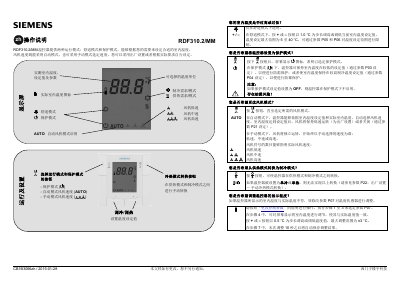
The RDF310.2/MM is a room thermostat from Siemens Building Technologies. These operating instructions describe its two operating modes, comfort mode and protection mode, and explain how the room temperature setpoint, the fan speed and the heating/cooling changeover are selected on the unit.
The document also covers the display symbols, correction of the displayed room temperature through parameter P07, and the step-by-step procedure for changing control parameters on the thermostat panel. A commissioning table lists parameters P03 to P22 with their factory settings and setting ranges, and notes that changes should be recorded. This manual is written in Chinese.
| Room temperature setpoint range | 5 to 40 °C, limited by parameters P05 and P06 |
|---|---|
| Protection mode heating setpoint (P03) | 8 °C factory setting; OFF, 5 °C…WcoolStb |
| Comfort mode minimum setpoint limit (P05) | 5 °C factory setting; 5 °C…WmaxNorm |
| Comfort mode maximum setpoint limit (P06) | 35 °C factory setting; WminNorm…40 °C |
| Sensor calibration (P07) | 0 K factory setting; -3…3 K |
| Fan speed change delay in auto mode (P14) | 2 minutes factory setting; 1…5 minutes |
| Temperature unit selection (P17) | °C factory setting; °C or °F |
| Manual fan speeds | Low, medium, high |
In comfort mode, press + or – to raise or lower the current setpoint in steps of 1.0 °C. The setting range is 5 to 40 °C and can be limited with parameters P05 and P06.
Press the mode button; the protection mode icon appears on the display. The thermostat then holds the lower heating setpoint from P03 for frost protection or the higher cooling setpoint from P04 for mold protection.
Set the thermostat to protection mode, hold + and – together for 3 seconds, then hold + again for 3 seconds within 2 seconds so that P03 appears. Select the parameter with + or – and confirm with both buttons together.
Correct it with parameter P07, pressing + or – in steps of 0.5 °C up to a maximum adjustment of ±3 °C. The value is saved automatically 10 seconds after the last adjustment.