
Key facts
- Brand
- Sharp
- Model
- LC26A37M
- Category
- Television
- Industry
- Appliances
- Documents
- 2
- Languages
- EN · ZH
- Last added
- 2012-05-03
Start here
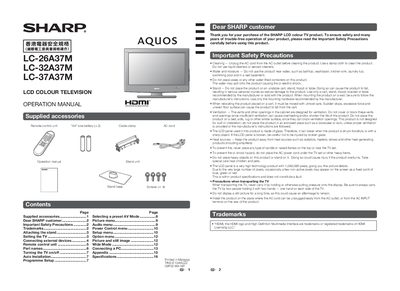
Sharp LC-26A37M / LC-32A37M / LC-37A37M LCD Colour TV Operation Manual
This manual begins with important safety precautions, a list of supplied accessories, and step‑by‑step instructions for attaching or detaching the stand and installing the TV on a wall or cart. It also explains how to connect the antenna and external devices such as VCRs, game consoles, DVD players, and PCs.
The later sections cover TV operation, including power on/off, remote‑control button functions, programme setup, auto and manual channel search, AV mode selection, picture and sound adjustments, child lock and password settings, and power‑management features like automatic shut‑off and optical picture control.
Sharp LC26A37M specifications
| Screen size (LC‑26A37M) | 26 inches (648 mm) |
|---|---|
| Resolution | 1,049,088 pixels (1366 × 768) |
| Video color system | PAL / SECAM / NTSC 3.58 / NTSC 4.43 / PAL 60 |
| Power consumption (operating) | 88 W |
| Audio amplifier power | 10 W × 2 |
| RS‑232C communication speed | 9,600 bps |
Source: Sharp LC-26A37M/LC-32A37M/LC-37A37M LCD TV User Manual
All Sharp LC26A37M documents by type
Day-to-day operation, settings and troubleshooting. Start here if the product is already set up.
Questions answered in these manuals
How do I attach the stand to the TV?
First unplug the AC cord, then insert the stand base onto the stand post on the TV bottom and tighten the four supplied screws.
From: Sharp LC-26A37M / LC-32A37M / LC-37A37M LCD Colour TV Operation Manual
How can I turn the TV on and off?
Press the POWER button on the TV to turn it on; press the POWER button on the remote control to turn it off (standby mode).
From: Sharp LC-26A37M / LC-32A37M / LC-37A37M LCD Colour TV Operation Manual
How should the TV be mounted on a wall?
Use Sharp’s AN‑37AG3 wall‑mount bracket and have a qualified service technician perform the installation; other brackets may cause instability and injury.
From: Sharp LC-26A37M/LC-32A37M/LC-37A37M LCD TV User Manual
How can I switch the picture to widescreen mode?
Press the WIDE button on the remote or select “WIDE” from the picture menu to activate the widescreen mode.
From: Sharp LC-26A37M/LC-32A37M/LC-37A37M LCD TV User Manual