
Key facts
Start here
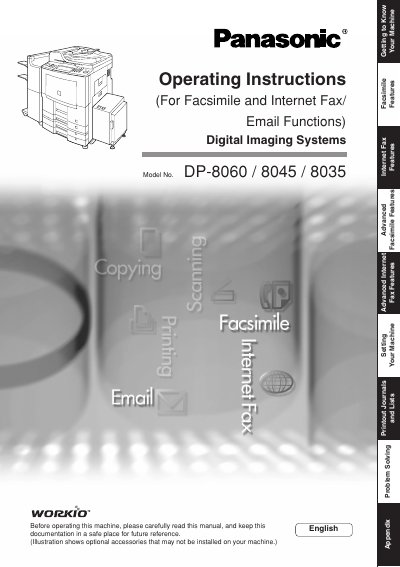
Panasonic DP-8060/8045/8035 Digital Imaging Systems Manual(1)
This manual provides operating instructions for the Panasonic LDIP-8060/8045/8035 Digital Imaging Systems. It covers essential information for setting up the machine and performing basic operations such as copying, printing, network scanning, and sending/receiving documents via Facsimile or Internet Fax/Email.
Read onlinePanasonic DP-8045 specifications
| Print speed (DP-8060) | 60 pages per minute |
|---|---|
| Print speed (DP-8045) | 45 pages per minute |
| Print speed (DP-8035) | 35 pages per minute |
| Maximum paper capacity | up to 6,250 sheets with optional trays |
| Print resolution | 600 dpi × 600 dpi (PCL, PS, GDL) |
| Power consumption (max) | ≤ 1.45 kW |
Source: Panasonic DP-8060/DP-8045/DP-8035 Digital Copier Manual
All Panasonic DP-8045 documents by type
Day-to-day operation, settings and troubleshooting. Start here if the product is already set up.
Questions answered in these manuals
What is the maximum number of copies allowed?
The manual states that the maximum number of copies is 999.
Can I copy on heavy paper like post cards?
Yes, you can select HEAVY PAPER for copying on items such as Post Cards up to a maximum of 35 lb.
What functions are included in the Operating Instructions CD?
The Operating Instructions CD contains manuals with detailed information for Copy & Function Parameters, Facsimile/Internet Fax/Email Functions, and User Authentication.
From: Panasonic DP-8060/8045/8035 Digital Imaging Systems Manual(1)
What is the purpose of the Document Management System CD?
The Document Management System CD contains application software and manuals with detailed information for the Print function.
From: Panasonic DP-8060/8045/8035 Digital Imaging Systems Manual(1)
What optional hardware is required to use the Facsimile function?
The Facsimile function is available only when the optional Fax Communication Board (DA-FG600) is installed.
From: Panasonic DP-8060/8045/8035 Digital Imaging Systems Manual
How many CD-ROMs are included with the machine?
The machine includes two CD-ROMs containing detailed operating instruction manuals.
From: Panasonic DP-8060/8045/8035 Digital Imaging Systems Manual