
Key facts
Start here
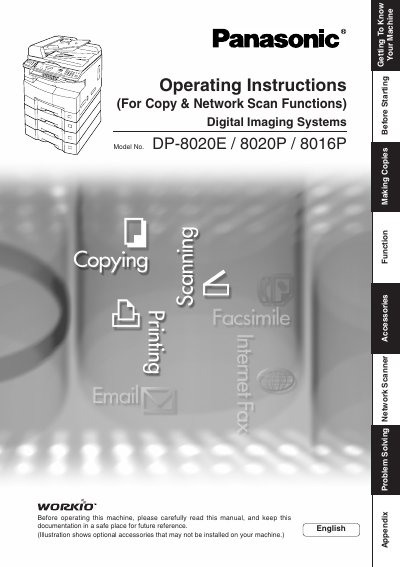
Panasonic DP-8020E/8020P/8016P Digital Imaging Systems Operating Instructions
This manual provides operating instructions for the Panasonic DP-8020E, DP-8020P, and DP-8016P Digital Imaging Systems. It covers essential tasks such as making copies, using the ADF/i-ADF options, scanning documents, sending faxes via email or network, and utilizing printer controller functions.
Read onlinePanasonic DP-8016P specifications
| Copy Speed | 16 pages per minute |
|---|---|
| Paper Tray Capacity | 550 sheets standard + 50 sheets bypass |
| Maximum Paper Size | A3 |
| Power Consumption (Eco mode) | ≈19.5 W |
| Memory Capacity | 68 MB |
| Network Port | Ethernet 10Base‑T/100Base‑TX |
| Local Interface | USB |
All Panasonic DP-8016P documents by type
Day-to-day operation, settings and troubleshooting. Start here if the product is already set up.
Questions answered in these manuals
What models are covered in this manual?
This manual covers the DP-8020E, DP-8020P, and DP-8016P Digital Imaging Systems.
From: Panasonic DP-8020E/8020P/8016P Digital Imaging Systems Operating Instructions
What is the maximum scanning resolution?
The monochrome scanner capability supports a scanning resolution up to 600 dpi.
From: Panasonic DP-8020E/8020P/8016P Digital Imaging Systems Operating Instructions
What is the maximum scanning resolution for these models?
The scanning resolution is up to 600 dpi.
From: Panasonic DP-8020E/8020P/8016P Digital Imaging Systems Operating Instructions
Can this machine copy ledger size originals?
Yes, the DP-8020E and DP-8020P models are capable of copying text/photos/halftone originals up to Ledger size.
From: Panasonic DP-8020E/8020P/8016P Digital Imaging Systems Operating Instructions
What is the maximum paper size the DP-8016P can handle?
The DP-8016P can handle paper up to A3 size.
How fast can the DP-8016P copy pages?
It copies at a speed of 16 pages per minute.