
This manual describes the operation of Olympus digital voice recorder.
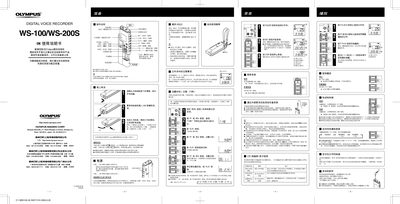
This manual explains how to operate the Olympus WS-100 and WS-200S digital voice recorders, including power‑on procedures, recording modes, playback controls, and battery replacement. It also covers safety precautions and troubleshooting tips.
Detailed sections describe setting the time/date, using external microphones, managing files and folders, and connecting the device to a computer via USB for data transfer or firmware updates. This manual is written in Chinese.
| Recording media | Built‑in flash memory |
|---|---|
| Recording time (WS‑200S) | 128 MB |
| HQ mode recording time | ≈8 h 50 min |
| LP mode recording time | ≈54 h 50 min |
| Headphone jack | 3.5 mm, 8 Ω |
| Microphone jack | 3.5 mm, 2 kΩ |
| Power source | AAA (LR03/R03) batteries or rechargeable |
| Dimensions | 94 mm × 40 mm × 15.1 mm |
| Weight (WS‑200S) | 54 g (incl. battery) |
The HOLD switch may be engaged, the battery could be depleted, or the battery might not be inserted correctly.
The earphone plug may be improperly connected, or the volume may be set to the minimum.
Recording stops when the STOP button is pressed, when the remaining recording time reaches 00:00, or when the file limit of 199 recordings is reached.