
Key facts
- Brand
- Olympus
- Model
- X-760
- Category
- Digital cameras
- Industry
- Electronics
- Documents
- 3
- Languages
- EN
- Last added
- 2012-06-08
Start here
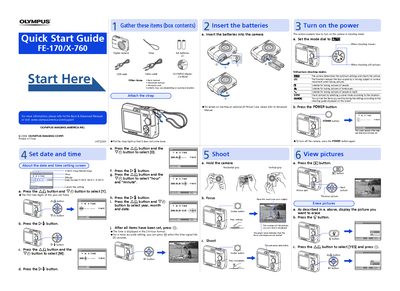
Olympus FE-170/X-760 Digital Camera Quick Start Guide
This document serves as a Quick Start Guide for the Olympus FE-170/X-760 digital camera. It provides initial instructions on setting up the device, including inserting batteries, attaching the strap, and configuring date and time settings.
The guide explains how to turn on the camera in shooting mode using the POWER button and mode dial. It details various still picture shooting modes such as Auto, Portrait, Landscape, Night Scene, Scene, and Guide. Additionally, it covers basic operations like viewing pictures via the display button and erasing images.
All Olympus X-760 documents by type
Day-to-day operation, settings and troubleshooting. Start here if the product is already set up.
The shortest path to a working setup, usually only a few pages.
Questions answered in these manuals
How do you turn off the camera?
To turn off the camera, press the POWER button again.
From: Olympus FE-170/X-760 Digital Camera Advanced Quick Start Guide
What format is the time displayed in?
The time is displayed in the 24-hour format.
From: Olympus FE-170/X-760 Digital Camera Advanced Quick Start Guide
What items are included in the camera box?
The box contains AA batteries, a USB cable, a video cable, an OLYMPUS Master CD-ROM, this basic manual, an advanced manual, and a warranty card.
How do you turn off the camera?
To turn off the camera, press the POWER button again after it has been turned on.
What is the date format for setting the camera?
The default date format is Y-M-D (Year-Month-Day), though other formats like M-D-Y and D-M-Y can be selected.
How do you turn off the camera?
Press the POWER button again after turning it on.