
Key facts
- Brand
- Olympus
- Model
- STYLUS-7010
- Category
- Digital cameras
- Industry
- Electronics
- Documents
- 3
- Languages
- EN · ES
- Last added
- 2012-06-08
Start here
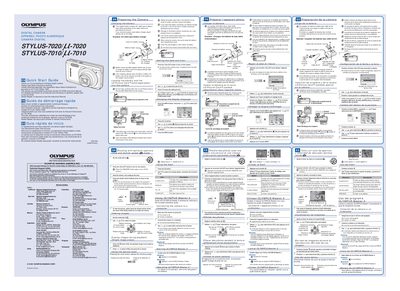
OLYMPUS STYLUS-7020/ -7020 STYLUS-7010/ -7010 digital camera user guide
This document serves as a Quick Start Guide for the Olympus STYLUS-7020/L-7020 digital camera. It provides essential instructions for initial setup, including charging the included lithium-ion battery and correctly inserting it into the camera body.
The guide also details how to load an xD-Picture Card or microSD Attachment, set the date and time on the camera display, and change the screen language settings via the menu system.
Olympus STYLUS-7010 specifications
| Zoom preciso | available |
|---|---|
| Modo silencioso | available |
| ISO sensitivity | supported |
Source: OLYMPUS STYLUS-7020/ -7020 STYLUS-7010/ -7010 USER'S Manual
All Olympus STYLUS-7010 documents by type
Day-to-day operation, settings and troubleshooting. Start here if the product is already set up.
The shortest path to a working setup, usually only a few pages.
Questions answered in these manuals
Where can I find software updates for my camera?
Olympus software updates can be obtained at the Olympus America website.
From: OLYMPUS STYLUS-7020/ -7020 STYLUS-7010/ -7010 digital camera Manual
How long does it take to fully charge the battery?
It takes up to 2 hours to charge the battery until the charging indicator light turns off.
From: OLYMPUS STYLUS-7020/ -7020 STYLUS-7010/ -7010 digital camera user guide
What happens if the charging indicator does not light or blinks?
The battery may not be inserted correctly, or the battery or charger may be broken.
From: OLYMPUS STYLUS-7020/ -7020 STYLUS-7010/ -7010 digital camera user guide
How do I adjust the shooting mode functions?
Use the FUNC menu or the dedicated buttons (zoom, flash, macro, etc.) to change shooting modes with fewer steps.
From: OLYMPUS STYLUS-7020/ -7020 STYLUS-7010/ -7010 USER'S Manual
What is the purpose of the 'Modo silencioso' setting?
It enables silent shooting mode, reducing camera noise during operation.
From: OLYMPUS STYLUS-7020/ -7020 STYLUS-7010/ -7010 USER'S Manual