
Key facts
Start here
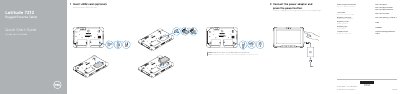
Dell Latitude 7212 Rugged Extreme Tablet Quick Start Guide
This document serves as a Quick Start Guide for the Dell Latitude 7212 Rugged Extreme Tablet. It outlines the initial setup process, which involves connecting the power adapter and inserting a uSIM card if desired. The guide also directs users to Dell's support website for additional product support, manuals, and the Rugged Control Center software.
Read onlineDell Latitude 7212 Rugged Extreme specifications
| Battery Model | FWRM8 |
|---|---|
| Battery Voltage | 7.4Vdc |
| Battery Capacity | 30Wh |
| Charger Model | PA-1300-04 |
Source: Dell Latitude 7212 Rugged Extreme Tablet Quick Start Guide
All Dell Latitude 7212 Rugged Extreme documents by type
The shortest path to a working setup, usually only a few pages.
- Dell Latitude 7212 Rugged Extreme Tablet Quick Start Guide 2 p
- Dell Latitude 7212 Rugged Extreme Tablet Quick Start Guide 2 p
- Dell Latitude 7212 Rugged Extreme Tablet Quick Start Guide 2 p
- Dell Latitude 7212 Rugged Extreme Tablet Quick Start Guide 2 p
- Dell Latitude 7212 Rugged Extreme Tablet Quick Start Guide 2 p
Questions answered in these manuals
Where can I find the Rugged Control Center software?
The Rugged Control Center software is available at Dell.com/support.
From: Dell Latitude 7212 Rugged Extreme Tablet Quick Start Guide
What is the recommended distance for the tablet screen from the body?
The screen-side should be kept at 15 mm (0.59 inches) or greater distance from the user's body when a transmitter is active.
From: Dell Latitude 7212 Rugged Extreme Tablet Quick Start Guide
Where is the uSIM card slot located?
It is located where you remove the battery to access.
From: Dell Latitude 7212 Rugged Extreme Tablet Quick Start Guide
What distance should be kept between the tablet's screen-side and the user's body when a transmitter is active?
Keep the tablet computer's screen-side at 15 mm (0.59 inches) or greater distance from the user's body.
From: Dell Latitude 7212 Rugged Extreme Tablet Quick Start Guide
Which sides of the tablet can be used in close contact with the user's body?
The other 5 sides of the product are a Dell specified usable orientation and can be used in close contact to the user's body.
From: Dell Latitude 7212 Rugged Extreme Tablet Quick Start Guide
Where can I find product support and manuals for this tablet?
Dell lists product support and manuals at Dell.com/support and Dell.com/support/manuals.
From: Dell Latitude 7212 Rugged Extreme Tablet Quick Start Guide