
Key facts
Start here
Dell Inspiron 14-3451/3458 Quick Start Guide
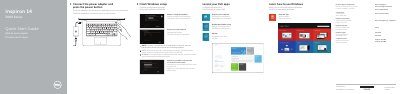
This Quick Start Guide covers the initial setup process for the Dell Inspiron 14-3451 and Inspiron 14-3458 laptops. It instructs users to connect the power adapter, press the power button, and complete the Windows setup. The guide also directs users to register their computer and access support via dell.com/support.
Read onlineDell Inspiron 14 3458 specifications
| Input Voltage | 100 V CA–240 V CA |
|---|---|
| Input Current | 1,30 A/1,60 A/1,70 A |
| Input Frequency | 50 Hz–60 Hz |
| Output Voltage | 19,50 VCC |
All Dell Inspiron 14 3458 documents by type
Disassembly, diagnostics and part numbers, for repair.
The shortest path to a working setup, usually only a few pages.
Questions answered in these manuals
How do I connect to a secured wireless network?
Enter the password for the wireless network access when prompted.
Where can I find advanced options for my computer?
Click Start → All Programs→ Dell Help Documentation.
What should I do before working inside the computer?
Save and close all open files, exit open applications, shut down the computer, disconnect power and peripherals, and remove media cards and optical discs.
When might BIOS flashing be needed?
BIOS flashing may be needed when an update is available or after reinstalling the system board.