
Key facts
- Brand
- DELL
- Model
- Inspiron 20 Model 3048
- Category
- All-in-One Desktops
- Documents
- 5
- Languages
- EN
- Last added
- 2023-11-25
Start here
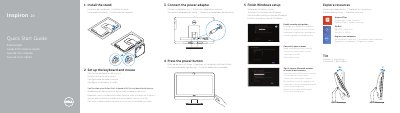
Dell Inspiron 20 Model 3048 Quick Start Guide
The Dell Inspiron 20 Model 3048 Quick Start Guide provides essential instructions for setting up the computer, including connecting the power adapter, completing Windows setup, and configuring the keyboard and mouse.
It details the hardware features of the device, such as the camera, various USB ports, HDMI and network ports, and the optical drive, while providing links to official Dell support and regulatory information.
Dell Inspiron 20 Model 3048 specifications
| Input Voltage | 100 V AC–240 V AC |
|---|---|
| Frequency | 50 Hz–60 Hz |
| Output Voltage | 19.50 V DC |
| USB 3.0 Ports | 2 |
| USB 2.0 Ports | 4 |
All Dell Inspiron 20 Model 3048 documents by type
The shortest path to a working setup, usually only a few pages.
Day-to-day operation, settings and troubleshooting. Start here if the product is already set up.
Disassembly, diagnostics and part numbers, for repair.
Questions answered in these manuals
How do I set up the keyboard and mouse?
Refer to the documentation that shipped with the keyboard and mouse.
What is the Express Service Code for this computer?
The Express Service Code for the Inspiron 20 Model 3048 is Tilt.
What is the computer model?
The computer model is Inspiron 20 Model 3048.
From: Dell Inspiron 20 Model 3048 Computer Quick Start Guide
How many USB 3.0 ports does the computer have?
It has two USB 3.0 ports.
From: Dell Inspiron 20 Model 3048 Computer Quick Start Guide
How do I register my Dell computer?
Use the Register your computer section to register the computer.
From: Dell Inspiron 20 Model 3048 Desktop Computer Quick Start Guide
Where can I find product support and manuals?
Product support and manuals are available at dell.com/support and dell.com/support/manuals.
From: Dell Inspiron 20 Model 3048 Desktop Computer Quick Start Guide