
This document is a quick start guide for Dell computers, which introduces how to set up and use a Dell computer.
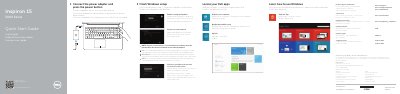
This quick start guide for the Dell Inspiron 15 5000 Series (computer models Inspiron 5542 and Inspiron 5543, regulatory model P39F) is printed in English, Dutch, French and Spanish. It walks new users through connecting the power adapter, finishing Windows setup, locating Dell apps such as My Dell and Dell Backup and Recovery, connecting to a network, and registering the computer.
The second page identifies the laptop's 18 external features, including the camera, USB 2.0 and USB 3.0 ports, HDMI port, media-card reader and headset port, and lists the keyboard shortcut keys for audio, display, brightness and wireless functions. It also points to dell.com/support for product support, manuals and specifications.
| Power adapter input voltage | 100 V AC – 240 V AC |
|---|---|
| Power adapter input frequency | 50 Hz – 60 Hz |
| Power adapter output voltage | 19.50 V DC |
| Ports | USB 2.0 port, 2 USB 3.0 ports, HDMI port, network port, headset port, media-card reader |
Enter the password for the wireless network access when you are prompted during connection.
See the Specifications section at dell.com/support, as noted at the end of the shortcut keys list.
Connect the power adapter and press the power button, then finish Windows setup.