
Key facts
Start here
Dell Inspiron 5423 Laptop Quick Start Guide
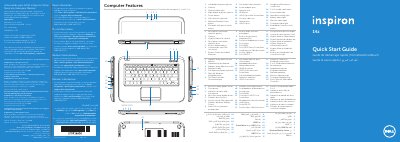
The Dell Inspiron 5423 quick start guide presents the computer's features and basic setup steps in several languages. It identifies the left and right digital-array microphones, camera and camera-status light, power button, SIM-card slot, Windows Mobility Center button, Dell audio and Instant Launch buttons, power-adapter port, network port, HDMI port, USB 3.0 ports, security-cable slot, optical drive, headphone/microphone combo port, 3-in-1 media-card reader, and status lights.
Setup steps show connecting the power adapter, pressing the power button, completing Windows setup, checking wireless status, installing an optional SIM card, and locating the service tag/regulatory label. The guide also lists function-key actions and includes NOM information for Mexico, regulatory model P35G, type P35G001, and computer model Inspiron 5423. This manual is written in Spanish.
Dell Inspiron 5423 specifications
| Regulatory model | P35G |
|---|---|
| Regulatory type | P35G001 |
| Computer model | Inspiron 5423 |
| Input voltage | 100 to 240 VAC |
| Maximum input current | 1.7 A / 1.5 A |
| Input frequency | 50 to 60 Hz |
All Dell Inspiron 5423 documents by type
The shortest path to a working setup, usually only a few pages.
- Dell Inspiron 5423 Laptop Quick Start Guide 2 p
- Dell Inspiron 5423 Computer Quick Start Guide 2 p
- Dell Inspiron 5423 Quick Start Guide 2 p
- Dell Inspiron 5423 Quick Start Guide 2 p
- Dell Inspiron 5423 Quick Start Guide 2 p
- Dell Inspiron 5423 Quick Start Guide 2 p
- Dell Inspiron 5423 Quick Start Guide 2 p
- Dell Inspiron 5423 Quick Start Guide 2 p
- Dell Inspiron 5423 Quick Start Guide 2 p
- Dell Inspiron 5423 Quick Start Guide 2 p
- Dell Inspiron 5423 Quick Start Guide 2 p
- Dell Inspiron 5423 Quick Start Guide 2 p
Disassembly, diagnostics and part numbers, for repair.
- Dell Inspiron 5423 Laptop Owner's Manual 96 p
- Dell Inspiron 5423 Service Manual 96 p
- Dell Inspiron 5423 Service Manual 96 p
- Dell Inspiron 5423 Service Manual 94 p
- Dell Inspiron 5423 Service Manual 94 p
- Dell Inspiron 5423 Service Manual 94 p
- Dell Inspiron 5423 Laptop Owner's Manual 94 p
- Dell Inspiron 5423 Laptop Owner's Manual 96 p
Day-to-day operation, settings and troubleshooting. Start here if the product is already set up.
Questions answered in these manuals
What computer model does the guide cover?
The guide covers the computer model Inspiron 5423.
What does the guide show for turning on the computer?
It shows pressing the power button as a setup step.
What should be done before shutting down the computer for service?
Save and close all open files, exit running programs, then follow the operating system shutdown steps.
Which tools may be needed for the procedures?
A Phillips screwdriver and a plastic scribe.
Where can I find more information about my computer's features?
Click Start, All Programs, Dell Help Documentation, or go to support.dell.com/manuals.
How do I contact Dell for sales, technical support, or customer service?
Go to dell.com/ContactDell; customers in the United States can call 800-WWW-DELL (800-999-3355).