
Dell computer user manual summary: The model of the Dell computer is P35G, the input voltage is 100-240V AC, the input current is 1.7A/1.5A, and the input frequency is 50Hz-60Hz.
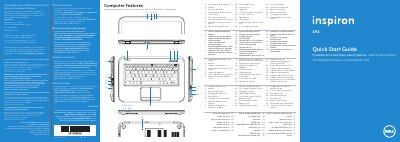
This document serves as a regulatory compliance label and a multilingual Quick Start Guide for the Dell Inspiron 5423 laptop. It provides essential regulatory information for the Mexican market (NOM) and includes model-specific details such as input voltage and frequency. The guide is designed to assist users in identifying the device's physical components and performing initial setup tasks.
| Regulatory Model Number | P35G |
|---|---|
| Input Voltage | 100 to 240 VAC |
| Input Frequency | 50 Hz to 60 Hz |
| Input Current (Max) | 1.7 A / 1.5 A |
Click Start→ All Programs → Dell Help Documentation or visit support.dell.com/manuals.
Locate the power-adapter port and plug the adapter into the computer and a power outlet.