
Dell Inspiron 5423 laptop quick start guide with computer features, setup steps, function keys, wireless status, SIM-card installation and NOM information.
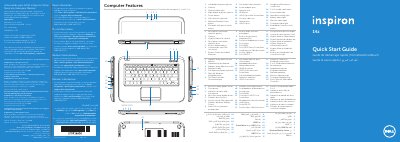
The Dell Inspiron 5423 quick start guide presents the computer's features and basic setup steps in several languages. It identifies the left and right digital-array microphones, camera and camera-status light, power button, SIM-card slot, Windows Mobility Center button, Dell audio and Instant Launch buttons, power-adapter port, network port, HDMI port, USB 3.0 ports, security-cable slot, optical drive, headphone/microphone combo port, 3-in-1 media-card reader, and status lights.
Setup steps show connecting the power adapter, pressing the power button, completing Windows setup, checking wireless status, installing an optional SIM card, and locating the service tag/regulatory label. The guide also lists function-key actions and includes NOM information for Mexico, regulatory model P35G, type P35G001, and computer model Inspiron 5423. This manual is written in Spanish.
| Regulatory model | P35G |
|---|---|
| Regulatory type | P35G001 |
| Computer model | Inspiron 5423 |
| Input voltage | 100 to 240 VAC |
| Maximum input current | 1.7 A / 1.5 A |
| Input frequency | 50 to 60 Hz |
The guide covers the computer model Inspiron 5423.
It shows pressing the power button as a setup step.
Dell directs users to Dell Help Documentation or support.dell.com/manuals.
The regulatory model is P35G and the type is P35G001.