
This document provides information about the Dell laptop, including its specifications, safety information, and warranty information.
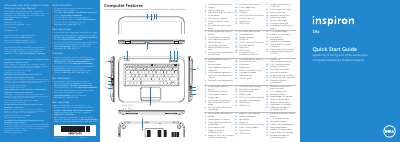
This document serves as a Quick Start Guide for the Dell Inspiron 5423 laptop. It includes regulatory information for Mexico and provides a comprehensive list of computer features, such as the digital-array microphones, camera, and various ports including USB 3.0 and HDMI. The guide also details the location of the power button, SIM-card slot, and status lights.
| Regulatory Model Number | P35G |
|---|---|
| Input Voltage | 100 to 240 VAC |
| Input Current (Max) | 1.7 A / 1.5 A |
| Input Frequency | 50 Hz to 60 Hz |
| Product Type | Laptop |
The regulatory model number is P35G.
It supports an input voltage of 100 to 240 VAC.
You can find the service tag on the service tag or regulatory label located on the device.