
Key facts
Start here
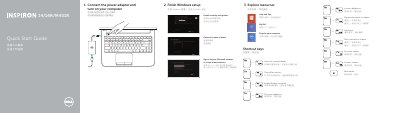
Dell Inspiron 14/14R/M431R Computer Quick Start Guide
Quick Start Guide 2 pages · 243 KB · EN
This Dell Quick Start Guide helps set up Inspiron 14/14R/M431R computers, including connecting power, finishing Windows setup, and exploring resources.
It also lists shortcut keys, identifies hardware features, and provides product support, contact, and regulatory links.
Dell M431R specifications
| USB 2.0 port | 1 |
|---|---|
| USB 3.0 ports | 2 |
| HDMI port | 1 |
| Network port | 1 |
| Headset port | 1 |
| Media-card reader | 1 |
| Optical drive | 1 |
Source: Dell Inspiron 14/14R/M431R Computer Quick Start Guide
All Dell M431R documents by type
Quick Start Guide 7
The shortest path to a working setup, usually only a few pages.
- Dell Inspiron 14/14R/M431R Computer Quick Start Guide 2 p
- Dell Inspiron 14/14R/M431R Laptop Quick Start Guide 2 p
- Dell 14/14R/M431R Laptop Quick Start Guide 2 p
- Dell Inspiron 14/14R/M431R Laptop Quick Start Guide 2 p
- Dell Inspiron 14/14R/M431R Laptop Quick Start Guide 2 p
- Dell 14/14R/M431R Laptop Quick Start Guide 2 p
- Dell 14/14R/M431R Laptop Quick Start Guide 2 p
Service Manual 1
Disassembly, diagnostics and part numbers, for repair.
Questions answered in these manuals
Where can I find Dell product support and manuals?
Visit dell.com/support and dell.com/support/manuals.
How do I contact Dell?
Use dell.com/contactdell.
Where can I get product support and manuals?
Dell lists product support and manuals at dell.com/support and dell.com/support/manuals.
How do I contact Dell?
Contact Dell at dell.com/contactdell.
How many USB 3.0 ports are on the laptop?
The guide lists two USB 3.0 ports.
What is the regulatory model?
The regulatory model is P37G.