
Dell Inspiron 5423 Quick Start Guide

Dell computer user manual.
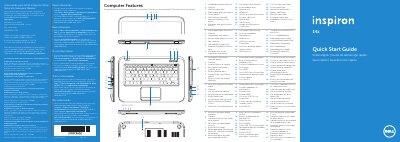

Dell Inspiron 5423 Quick Start Guide - cover page
Brand
DELL
Category
Laptops
Document type
Quick Start Guide
Language
English
Pages
2
File format
PDF
File size
881 KB
Published
20 November, 2023
Updated
20 November, 2023
MD5 checksum
8EDC36728296F4FEA4333396D5C0DA9D

About this manual

This document serves as a Quick Start Guide for the Dell Inspiron 5423 laptop. It provides essential regulatory information for the Mexican market (NOM) and lists the computer's physical features, including ports, buttons, and indicator lights. The guide includes a diagram labeling 24 specific components such as the power button, camera, SIM-card slot, and various USB and HDMI ports.

What's inside

  • Computer Features
  • Connect the power adapter
  • Press the power button
  • Switch to external display
  • Turn off/on wireless
  • Enable/disable touchpad
  • Decrease/Increase brightness
  • Play/Pause
  • Decrease/Increase volume level
  • Mute audio

Specifications

Input Voltage100 to 240 VAC
Input Current1.7 A / 1.5 A
Input Frequency50 Hz to 60 Hz
Regulatory Model NumberP35G
TypeP35G001

Frequently asked questions

Where can I find detailed information about features and advanced options?

You can click Start→ All Programs → Dell Help Documentation or go to support.dell.com/manuals.

How do I contact Dell for sales or technical support?

Go to dell.com/ContactDell. Customers in the United States can call 800-WWW-DELL (800-999-3355).

What is the regulatory model number for this computer?

The regulatory model number is P35G.

Download PDF (881 KB)

More DELL Manuals


View all DELL manuals →