
The document provides instructions on how to use the Dell Inspiron 15 5000 Series laptop.
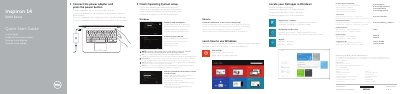
This is the multilingual quick start guide for the Dell Inspiron 14 5000 Series laptop, listing computer models Inspiron 14-5458 and Inspiron 14-5451 with regulatory model P64G. It walks through first-time setup: connecting the power adapter and pressing the power button, finishing the operating system setup (Windows or Ubuntu), enabling security and updates, connecting to a network, and signing in with a Microsoft account or creating a local account.
A second section covers the computer's shortcut keys and features, including the microphone and camera, power-adapter port, network port, HDMI and USB ports, media-card reader, optical drive, security-cable slot, battery and battery-release latch, and service tag label. It also gives Dell support links and the NOM power adapter information: 100 V AC–240 V AC input at 50 Hz–60 Hz with 19.50 V DC output.
| Computer model | Inspiron 14-5458, Inspiron 14-5451 |
|---|---|
| Regulatory model | P64G |
| Regulatory type | P64G001, P64G003 |
| Power adapter input voltage | 100 V AC–240 V AC |
| Power adapter input frequency | 50 Hz–60 Hz |
| Input current | 1.30 A / 1.60 A / 1.70 A |
| Output voltage | 19.50 V DC |
| Output current | 2.31 A / 3.34 A |
Connect the power adapter and press the power button.
When prompted, enter the password for the wireless network access.
Dell points to the Specifications page at dell.com/support.
The setup instructions cover Windows and Ubuntu.