
The Dell Quick Start Guide provides step-by-step instructions on how to unpack, set up, and connect your Dell computer to a network.
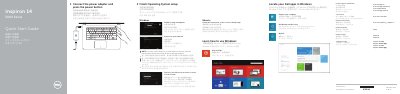
This is a two-page Dell quick start guide printed for the Inspiron 14 5000 Series computer. The listed computer models are Inspiron 14-5458 and Inspiron 14-5451, with regulatory model P64G. The guide walks through connecting the power adapter and pressing the power button, finishing the operating system setup, enabling security and updates, connecting to a network, and signing in to a Microsoft account or creating a local account.
The second page shows the features and shortcut keys. It labels the microphones, camera and camera-status light, power-adapter port, network port, HDMI port, USB 3.0 port, media-card reader, USB 2.0 ports, optical drive, security-cable slot, power button, battery and service tag label. It also lists shortcut key functions such as muting audio, adjusting volume, changing brightness, turning wireless on or off and putting the computer to sleep, and points to dell.com/support and dell.com/support/manuals for specifications and support. This manual is written in Chinese.
| Computer models | Inspiron 14-5458; Inspiron 14-5451 |
|---|---|
| USB ports | USB 3.0 port and USB 2.0 ports (2) |
| Video port | HDMI port |
| Media-card reader | Media-card reader |
| Optical drive | Optical drive |
| Security | Security-cable slot |
Connect the power adapter and press the power button.
When prompted, enter the password for the wireless network access.
The guide refers you to the specifications at dell.com/support.
Product support and manuals are available at dell.com/support/manuals.