
Key facts
Start here
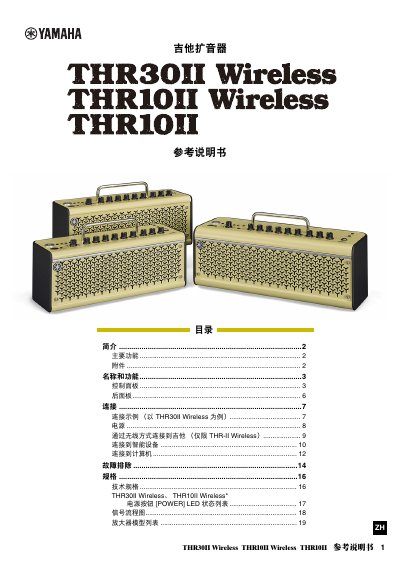
Yamaha THR30II Wireless / THR10II Wireless Guitar Amplifier Reference Manual
The Yamaha THR30II Wireless / THR10II Wireless / THR10II Reference Manual covers the controls, connections, power supply and specifications of these guitar amplifiers. It also explains the tuner, user memory, Bluetooth connection, USB connection to a computer, and troubleshooting.
The text states that the THR30II Wireless and THR10II Wireless have a built-in wireless receiver for use with a Line 6 Relay G10T transmitter, Bluetooth playback and sound editing from smart devices and computers, and a built-in rechargeable battery. It also describes the THR10II as operating on DC power via the supplied power adapter. This manual is written in Chinese.
Yamaha THR30II Wireless specifications
| Wireless guitar connection | Built-in wireless receiver for use with a Line 6 Relay G10T transmitter (THR30II Wireless and THR10II Wireless only) |
|---|---|
| Bluetooth functions | Play music and edit sound settings from smart devices and computers |
| Battery | Built-in rechargeable battery allows use without a power adapter (THR30II Wireless and THR10II Wireless only) |
| Power source | DC power via power adapter or built-in rechargeable battery for THR-II Wireless; DC power via power adapter for THR10II |
| USB audio interface | Records guitar sound to a computer via USB |
| USB cable requirement | AB-type USB cable less than 3 m; USB 3.0 cable not allowed |
Source: Yamaha THR30II Wireless / THR10II Wireless Guitar Amplifier Reference Manual
All Yamaha THR30II Wireless documents by type
Day-to-day operation, settings and troubleshooting. Start here if the product is already set up.
Questions answered in these manuals
How do I check the battery level on the THR-II Wireless?
Press the power button on top for less than one second. The remaining battery capacity is shown in four levels: 3, 2, 1 and L.
From: Yamaha THR30II Wireless / THR10II Wireless Guitar Amplifier Reference Manual
How do I reset the user memory to factory defaults?
Hold USER MEMORY buttons 1, 3 and 5 while turning the power on. All user memory contents return to factory defaults.
From: Yamaha THR30II Wireless / THR10II Wireless Guitar Amplifier Reference Manual
How do I reset the THR-II to its factory settings?
Turn the power on while holding [USER MEMORY] [1], [3], and [5]. All user memory contents return to factory defaults.
From: Yamaha THR30II Wireless THR10II Wireless THR10II Guitar Amplifier Reference Manual
What reference pitch does the tuner use?
The tuner is calibrated to A4 = 440 Hz.
From: Yamaha THR30II Wireless THR10II Wireless THR10II Guitar Amplifier Reference Manual