
This is a THR30II Wireless guitar amplifier from Yamaha. It is small and powerful, and can connect to smart devices and computers to play music and edit sound settings. It can also be powered by an AC adapter, and it has a built-in half-tone tuner.
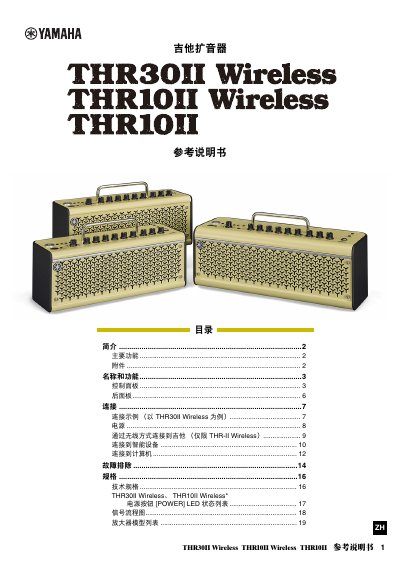
The Yamaha THR30II Wireless / THR10II Wireless / THR10II Reference Manual covers the controls, connections, power supply and specifications of these guitar amplifiers. It also explains the tuner, user memory, Bluetooth connection, USB connection to a computer, and troubleshooting.
The text states that the THR30II Wireless and THR10II Wireless have a built-in wireless receiver for use with a Line 6 Relay G10T transmitter, Bluetooth playback and sound editing from smart devices and computers, and a built-in rechargeable battery. It also describes the THR10II as operating on DC power via the supplied power adapter. This manual is written in Chinese.
| Wireless guitar connection | Built-in wireless receiver for use with a Line 6 Relay G10T transmitter (THR30II Wireless and THR10II Wireless only) |
|---|---|
| Bluetooth functions | Play music and edit sound settings from smart devices and computers |
| Battery | Built-in rechargeable battery allows use without a power adapter (THR30II Wireless and THR10II Wireless only) |
| Power source | DC power via power adapter or built-in rechargeable battery for THR-II Wireless; DC power via power adapter for THR10II |
| USB audio interface | Records guitar sound to a computer via USB |
| USB cable requirement | AB-type USB cable less than 3 m; USB 3.0 cable not allowed |
Press the power button on top for less than one second. The remaining battery capacity is shown in four levels: 3, 2, 1 and L.
Hold USER MEMORY buttons 1, 3 and 5 while turning the power on. All user memory contents return to factory defaults.
Use an AB-type USB cable less than 3 meters long. Do not use a USB 3.0 cable.
Hold the Bluetooth button for three seconds. The LED flashes green.