
Key facts
- Brand
- Yamaha
- Model
- YVC-1000
- Category
- Communications equipment
- Documents
- 3
- Languages
- ZH · EN
- Last added
- 2026-10-07
Start here
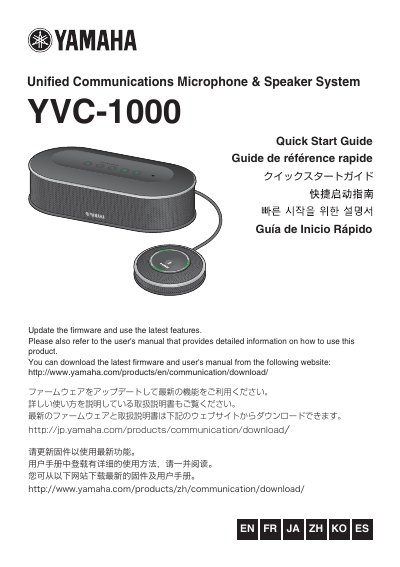
Yamaha YVC-1000 Unified Communications Microphone & Speaker System Quick Start Guide
The Yamaha YVC-1000 Quick Start Guide introduces the Unified Communications Microphone & Speaker System and explains the initial steps for setting it up. It identifies the Control Unit (YVC-CTU1000) and Microphone (YVC-MIC1000) and describes their controls and functions.
The guide covers installation, connecting the microphone and power cables, changing the voice guidance language, and connecting to a PC or Mac using the USB cable, a video conference system using audio cables, or a smartphone or tablet via Bluetooth. It also includes safety precautions and general specifications, and points users to Yamaha's website for the latest firmware and user's manual.
Yamaha YVC-1000 specifications
| Control terminal interfaces | USB 2.0 High Speed, Bluetooth, NFC, audio input RCA, audio output RCA, external speaker RCA, power port, microphone port |
|---|---|
| Maximum power consumption | 20 W (1 microphone) / 35 W (5 microphones) |
| Operating temperature | 0 °C to 40 °C |
| Operating humidity | 20 % to 85 % (no condensation) |
| Storage temperature | -20 °C to +50 °C |
| Control terminal dimensions | 332 mm × 95 mm × 162 mm (W×H×D) |
| Microphone dimensions | 136 mm × 36 mm × 136 mm (W×H×D) |
| Control terminal weight | 1.8 kg |
| Microphone weight | 0.4 kg |
| Power supply | 220 V, 50 Hz |
| Supported PC operating systems | Windows 7, 8, 8.1 (32‑ or 64‑bit) |
| Supported Mac operating systems | macOS 10.8, 10.9 |
| Bluetooth version | 2.1 + EDR |
| NFC compatible Android versions | Android 4.1 – 4.4 |
| Audio frequency response | 100 Hz – 20 kHz (mic and speaker) |
All Yamaha YVC-1000 documents by type
Day-to-day operation, settings and troubleshooting. Start here if the product is already set up.
Mounting, wiring and first power-up. Read it before the hardware goes in.
The shortest path to a working setup, usually only a few pages.
Questions answered in these manuals
How many microphones can be connected to the YVC-1000?
Up to five microphones can be connected to the system.
How do I mute and unmute the microphone?
Press the microphone mute button to temporarily mute; press it again to unmute.
How do I change the USB mode on the YVC-1000?
Use the USB Setting by YVC-1000 Configurator; the User's Manual for YVC-1000 Configurator describes its usage.
From: Yamaha YVC-1000 USB Conference Speakerphone USB Mode Setting Guide
Why does the USB mode need to be changed?
Because the USB mode has to match the device that is connected to the YVC-1000.
From: Yamaha YVC-1000 USB Conference Speakerphone USB Mode Setting Guide
What should I do if smoke is emitted from the product?
Immediately remove the power plug from the outlet and request repair or inspection from the dealer.
From: Yamaha YVC-1000 Unified Communications Microphone & Speaker System Quick Start Guide
How much ventilation space does the product need?
Allow at least 1 cm on the top, 1 cm on the left and right, and 5 cm on the back.
From: Yamaha YVC-1000 Unified Communications Microphone & Speaker System Quick Start Guide